DFIR Workflow
Introduction: DI Lestrade has intercepted a transmission from a criminal known as Moriarty. He’s asked his good buddy Sherlock Holmes and John Watson (that’s you) to use their skills as investigators to work out what he’s up to.
This is a lab that simulates a real-world DFIR process:
- Identify encryption type
- Recover access
- Decrypt data
- Analyze email
We are tasked by DI Lestrade to use our investigative skills to gather as much information as possible.
Let’s get straight to it!
DI Lestrade will hand over the following files to us:
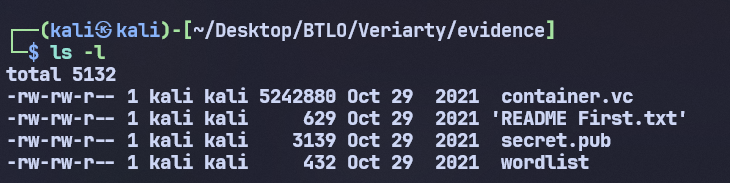
We should read the READ ME file first to see if there is anything to note.
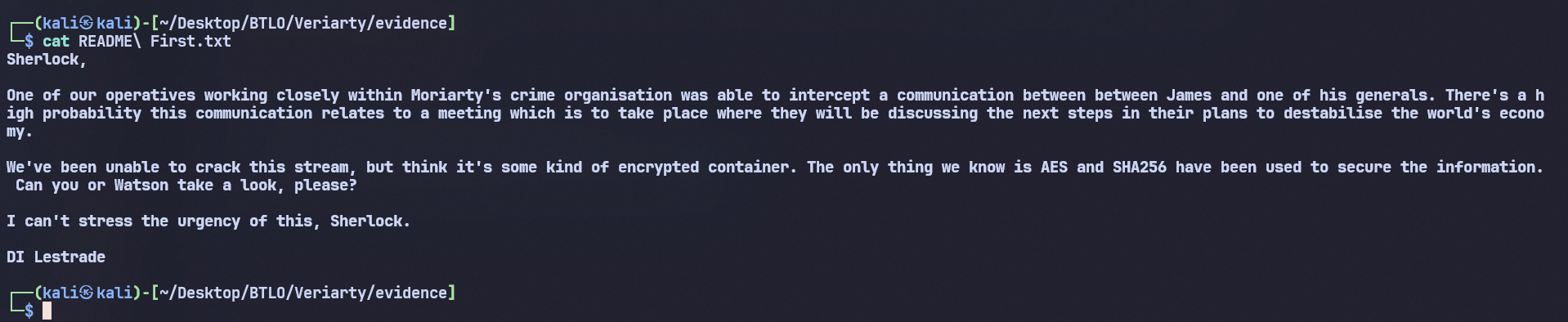
Through these messages, he has intercepted a conversation between criminals. This information is likely related to a meeting where they will discuss their next steps. However, DI Lestrade has not been able to crack this stream yet. There are indications that it is a type of encrypted container. All he knows is that the AES and SHA256 algorithms were used to encrypt this information.
Getting familiar with concepts
What is Container.vc?
container.vc is a “locked virtual drive” using VeraCrypt. Imagine it as a safe inside a computer: on the outside, it is just an unreadable data file, but inside it can contain many folders and documents. Only with the correct password or keyfile can we mount it to open and use it like a normal drive.
Along with it, we can see a “wordlist” file. This suggests a Dictionary Attack. From this information, we can predict that we could use Hashcat to try the passwords in the wordlist to find the correct password, then use it to mount the container and view the data inside.
What is VeraCrypt?
VeraCrypt is a data encryption tool that allows creating virtual drives protected by a password or keyfile. When not mounted, the data inside only exists as an encrypted file and cannot be read directly. Only when the correct credentials are provided will the container be opened and function like a normal drive.
Practical part
Question 1: What is the hash type (-m flag) used by hashcat to crack the password?
We will use the following command with Hashcat:
hashcat -m 13751 container.vc wordlist
Command explanation:
- m 13751: select VeraCrypt SHA-256 + XTS 512-bit (legacy) mode.
- container.vc: the VeraCrypt container file for which the password is to be found.
- wordlist: the list of passwords that Hashcat will try one by one.
Output:
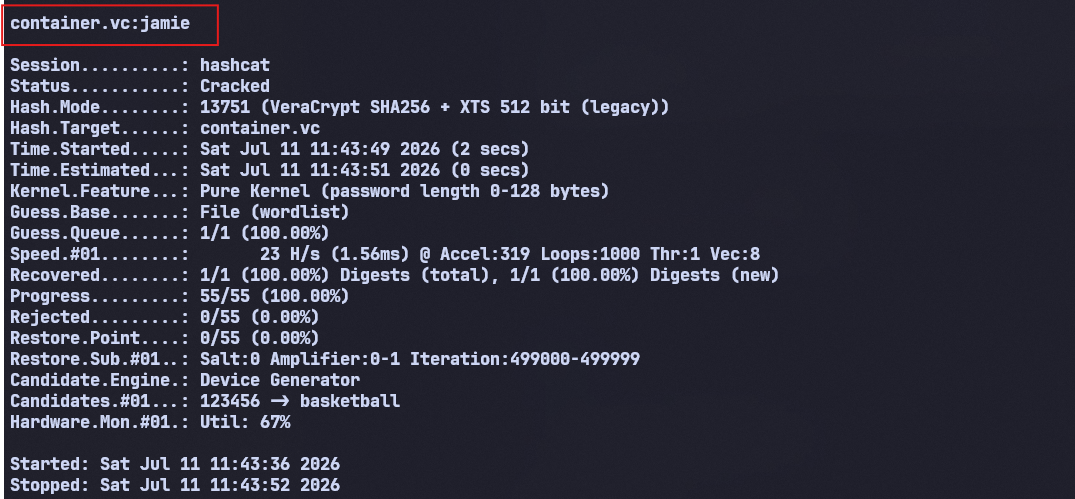
Answer: 13751
Question 2: What is the password to unlock the container?
Based on the results after running as shown in the image above, we can see that the password to mount the container later has been successfully cracked as: jamie
We proceed to mount the container with the password jamie, running the following two commands:
sudo mkdir -p /mnt/vc_jamie
sudo veracrypt --text container.vc /mnt/vc_jamie
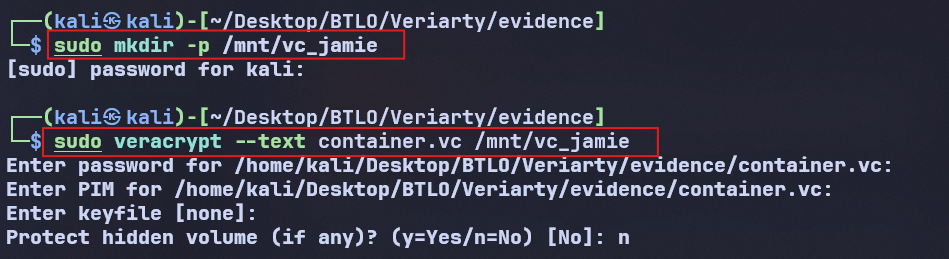
At the first password prompt, we enter jamie. The subsequent parts like PIM or keyfile are skipped by pressing enter.
Answer: jamie
Question 3: What is the name of Moriarty’s general sending the email?
The command shows that the container was successfully mounted into the directory /mnt/vc_jamie. Let’s see what is inside the directory /mnt/vc_jamie.
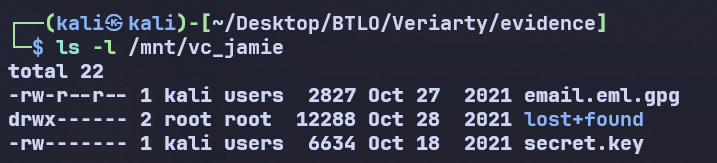
Inside the container, two notable files appear:
- email.eml.gpg: an .eml email file encrypted with GPG.
- secret.key: likely the key used to decrypt the email.
The lost+found directory is a system folder of the ext4 filesystem, so it can be temporarily ignored. From the two files above, the next step is to check the file type, import the key, and attempt to decrypt the email.

The result shows that email.eml.gpg is an email encrypted with PGP/GPG, while secret.key is a PGP private key. This indicates that the private key is very likely used to decrypt the email file.
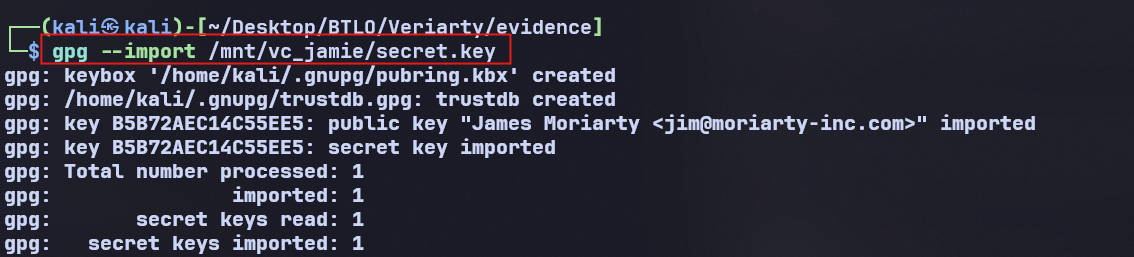
Therefore, the next step is to import the secret.key into GPG, then use it to decrypt email.eml.gpg.
Import key:
Decrypt email:
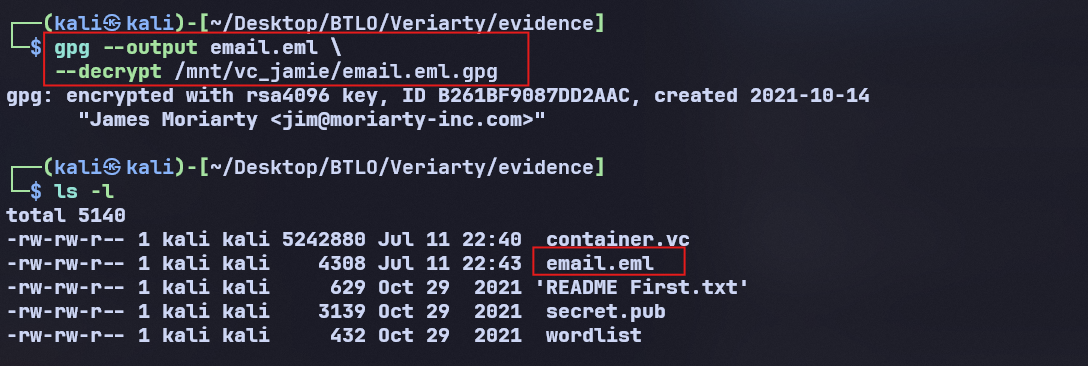
Command explanation:
- gpg –import: add the private key to the GPG keyring.
- -decrypt: decrypt the .gpg file.
- -output email.eml: save the result as a regular email file for further analysis.
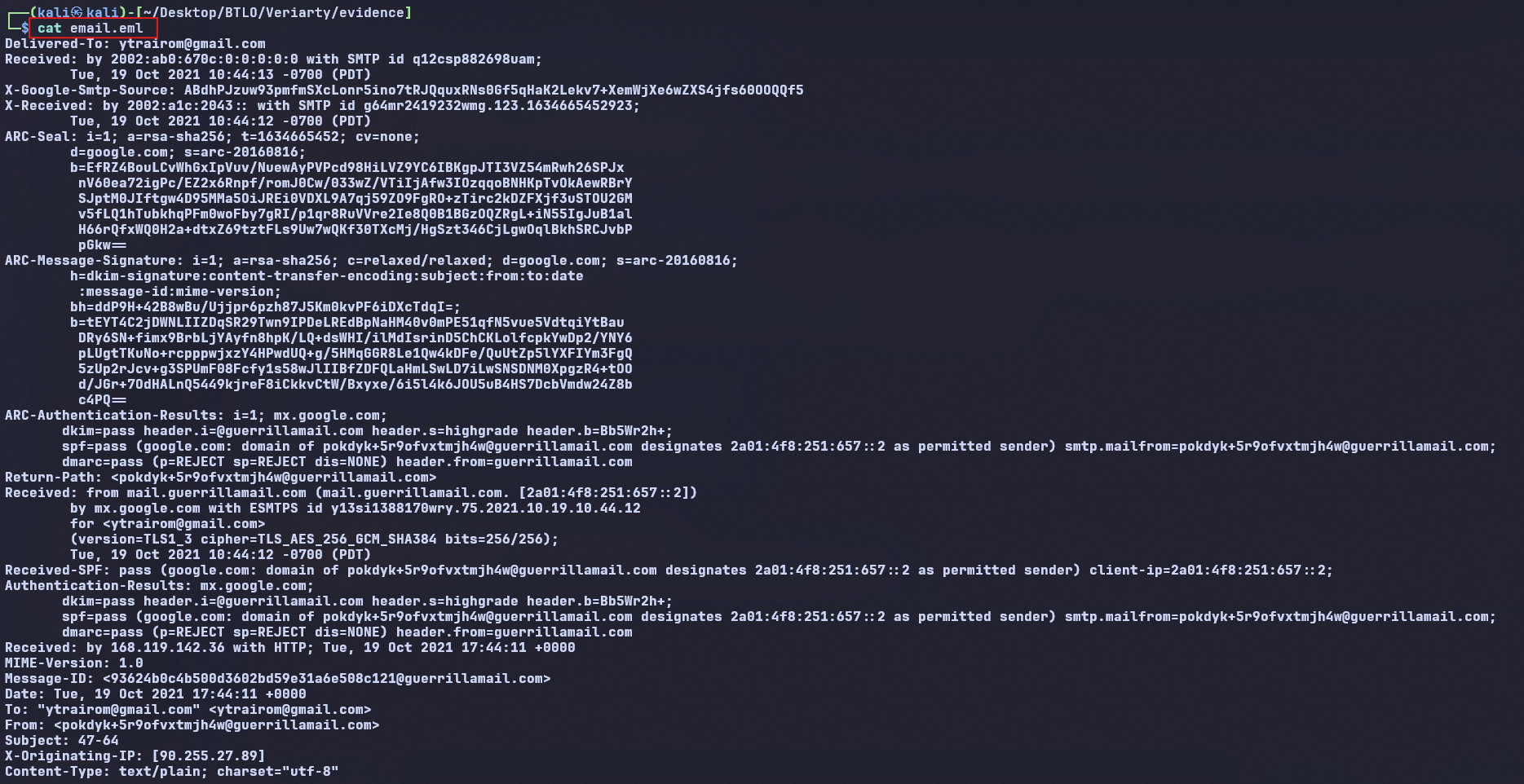
After reading the email using the ‘cat’ command, we only see email headers instead of the email body content, which is quite difficult to read. We will open this email with Thunderbird and use an available email header analysis tool.
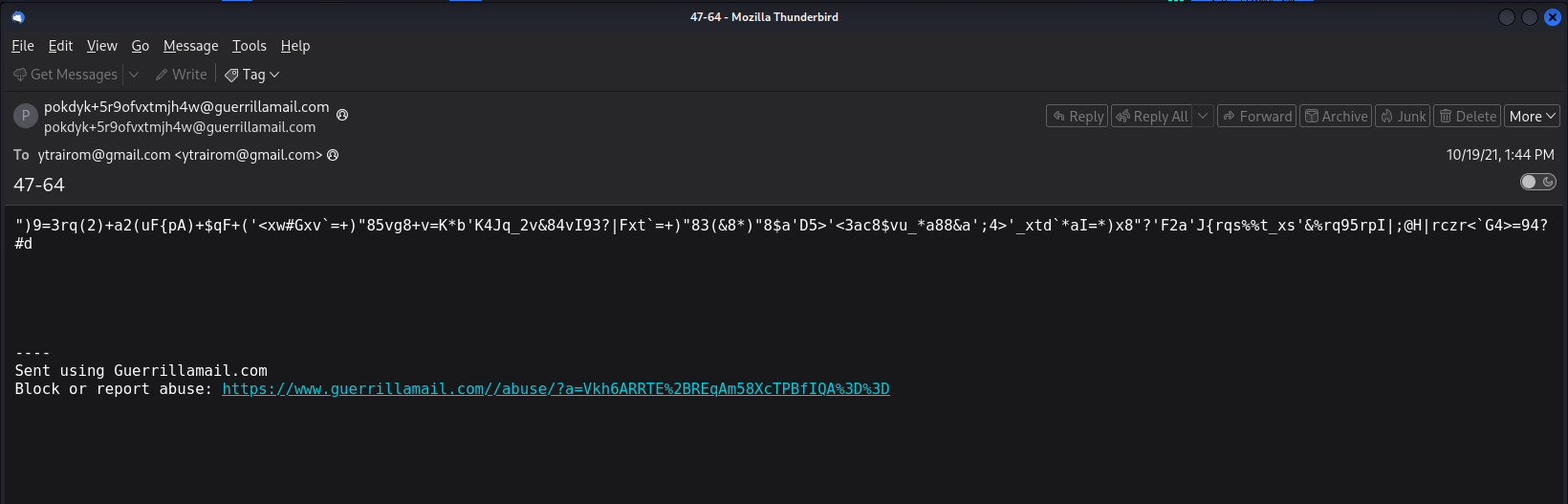
It seems the email body is encrypted
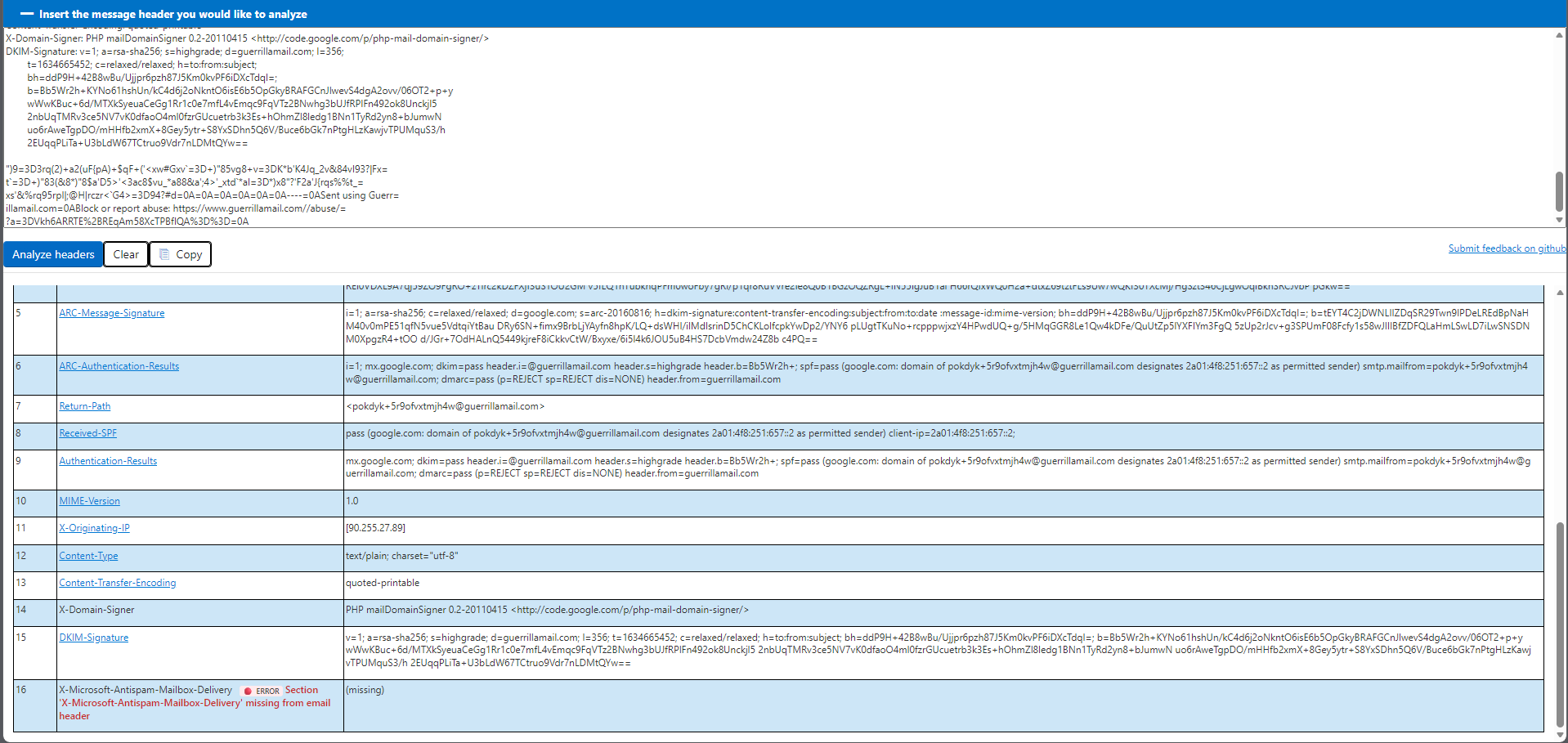
Pay attention to these details:

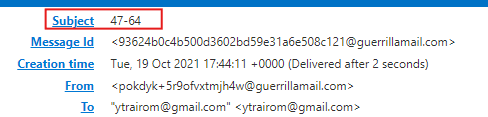
Notice two important details in the email header:
- Content-Transfer-Encoding: quoted-printable indicates that the email content is encoded in Quoted-Printable format, so this will be the first layer to decrypt.
- Subject: 47-64 is highly likely a hint for the next two steps: ROT47 and Base64.
From there, we attempt to decode the content in this order:
1
2
3
From Quoted Printable
→ ROT47
→ From Base64
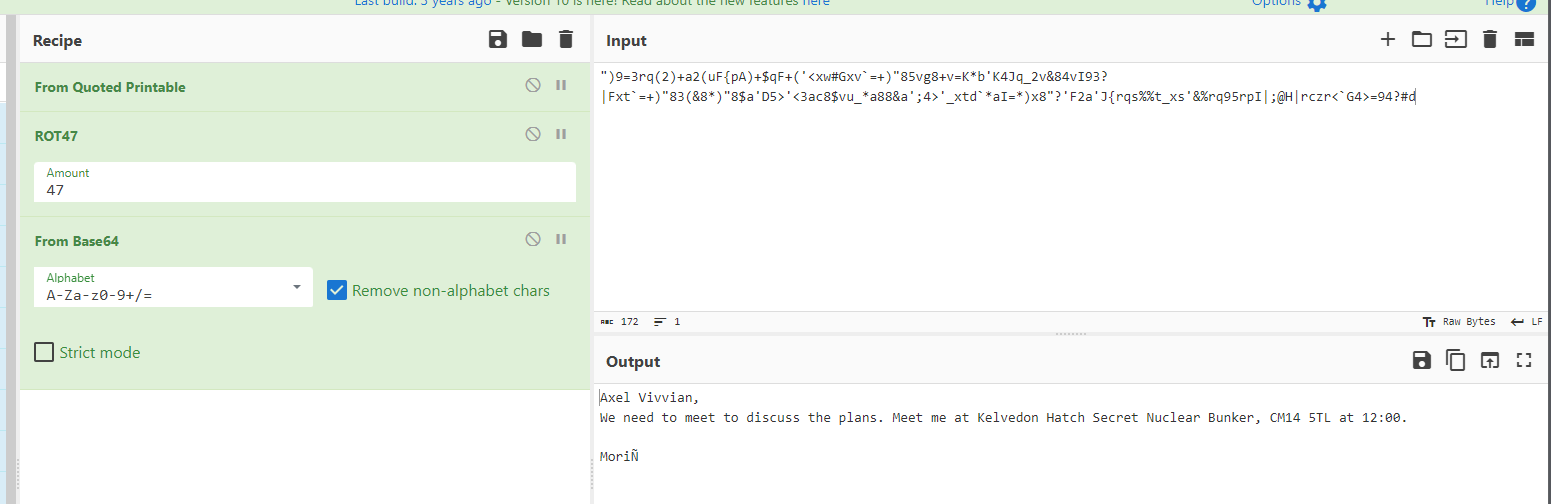
After following the correct order above, the email content is restored to readable text.
The decrypted email content does not directly answer the lab’s questions yet. However, it confirms that secret.key is a valid key and provides more context about Moriarty’s communication. More importantly, the secret.key file can be used as a VeraCrypt keyfile to open another volume inside container.vc, which contains the next clues.
We will unmount the container and then try to mount it again with secret.key

Create a new mount point:

Mount container.vc again using secret.key:
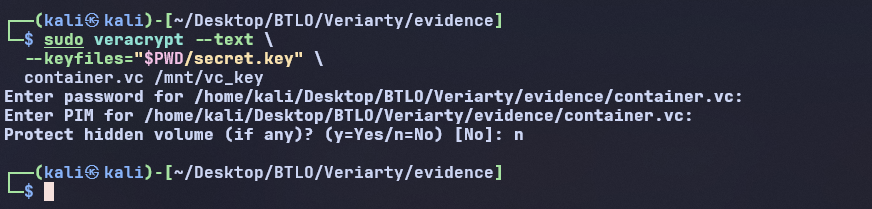
At this point, when prompted for a password, we skip and do not enter anything. The output also shows that the mounting process was successful. We can now access the /vc_key/ directory to see what is inside.

As predicted, there is other information to be considered.
We immediately ‘cat’ the POA.txt file

Answer: Vera
Question 4: Where is the meeting supposed to be taking place?
We try to decode this message the same way as before
1
2
3
From Quoted Printable
→ ROT47
→ From Base64
But unfortunately, this approach does not yield results. Are we missing something?
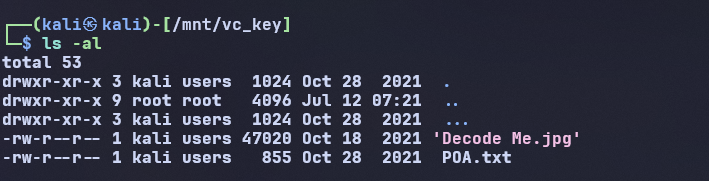
When running the command to list the directory, a hidden folder is discovered. The folder is named “…”
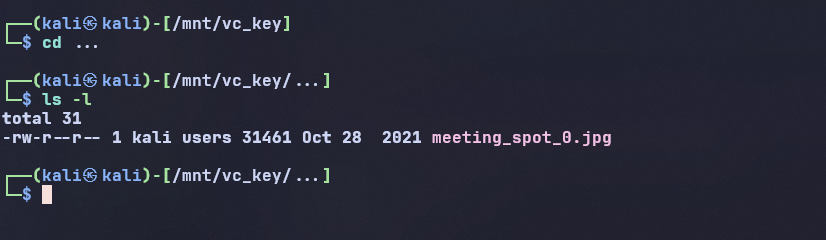
Inside the folder, there is another image file

Not stopping at this folder, inside it there is yet another hidden folder named “…”
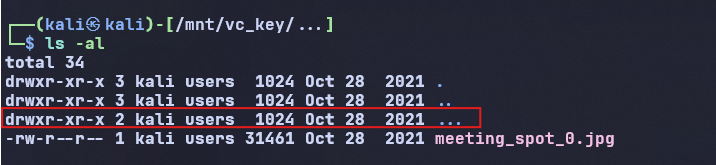

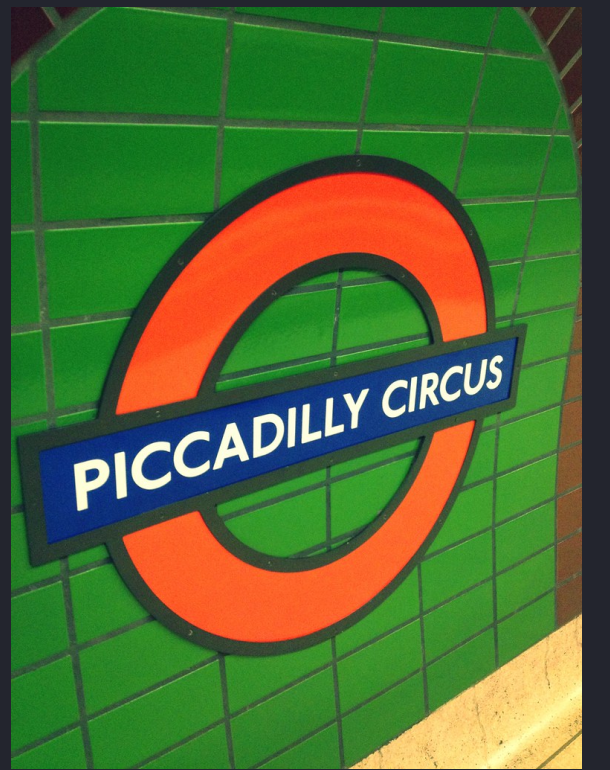
So by combining these 2 images, we get the answer: Central Perk, Piccadilly Circus
Question 5: When is the meeting supposed to be taking place?
To answer this question, we need to focus on the Decode Me.jpg file.
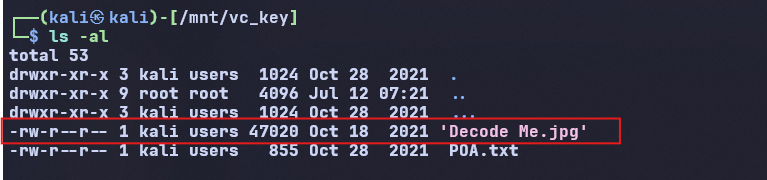
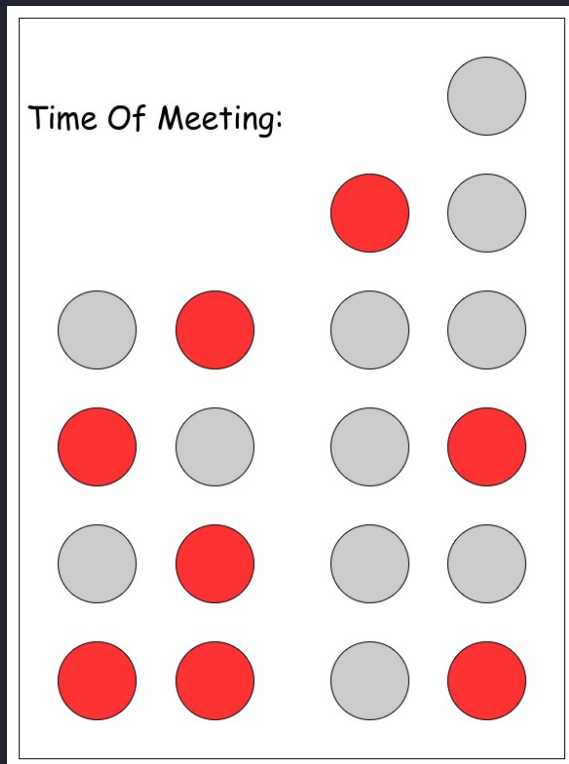
This image uses colored circles to represent binary numbers (binary-coded clock). We set the convention:
- Red = 1
- Gray = 0
Read each column from top to bottom, in the order of day – month – hour – minute.
Result:
Column 1: 0101 = 5
Column 2: 1011 = 11
Column 3: 10000 = 16
Column 4: 000101 = 5
Therefore, the meeting time is:
5th November, 16:05
Answer: 5th November, 16:05
Summary
Through the Veriarty lab, we practiced a fairly complete digital forensics process: identifying and processing a VeraCrypt container, using Hashcat to crack passwords, mounting volumes using passwords and keyfiles, decrypting GPG files with a private key, analyzing .eml emails, recognizing encoding layers like Quoted-Printable, ROT47 and Base64, and decoding binary data from images. More importantly, the lab helps to understand how to connect many small clues into a complete investigation chain, rather than just using each tool individually.