Email Header Analysis - Tryhackme
Scenario: A sales executive at Greenholt PLC reported a suspicious email received from a known customer. The message raised several red flags: a generic greeting, an unexpected request for a money transfer, and an unsolicited attachment. According to the employee, this behavior does not align with the customer’s usual communication style. Concerned that the email may be malicious, the message has been escalated to the SOC (Security Operations Center) for further investigation. Your goal is to analyze the provided email sample and determine whether it is legitimate or part of a phishing attempt.
This is a lab on email analysis with basic phishing indicators. We will receive an email from a customer that contains many suspicious elements. In the role of a SOC Analyst, we will investigate and trace these unusual indicators.
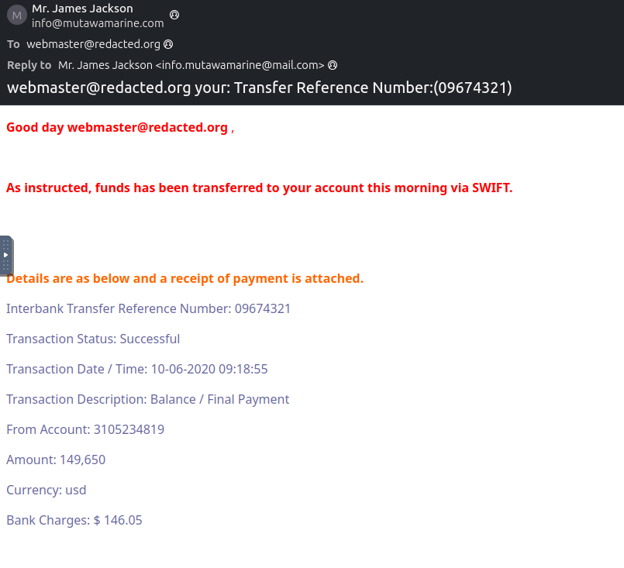
Q1: What is the Transfer Reference Number listed in the email’s Subject line?
For the first question, we need to identify the transfer reference number included in the email.
In the image above, most of us can see this number immediately.
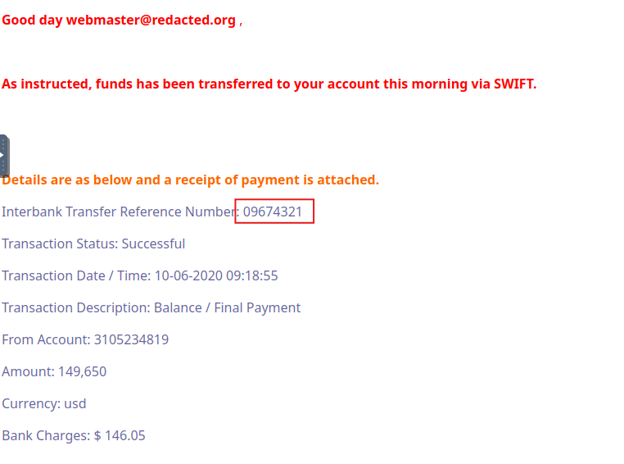
The number we need to identify here is: 09674321
Q2. What is the display name of the sender?
In this question, we need to identify the sender’s name. This is easy to see at the beginning of the email.

The sender’s name is: Mr. James Jackson
Q3. What is the sender’s email address?
Once we know the sender’s name, the associated email address is also visible:
info@mutawamarine.com
Q4. What email address will receive a reply to this email?
In this section, we need to read the question carefully. It asks which email address will receive a reply to this message.
Pay attention to the “Reply to” line.

This raises some suspicion. Why are the sender address and the reply-to address different? Any reply to this email will be sent to info.mutawamarine@mail.com.
Q5. What is the originating IP address of this email?
What is the origin IP address of this email? To find it, we need to analyze the email source.
To view the email source in Thunderbird, you can click View Source in the upper-right corner.
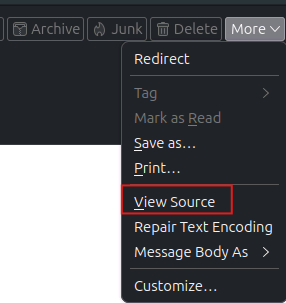
There are many tools available for analyzing email headers, such as Message Header Analyzer and Extract URLs. In this lab, I will mainly use mxtoolbox.
After viewing the source, select all the content in the email source and paste it into mxtoolbox.
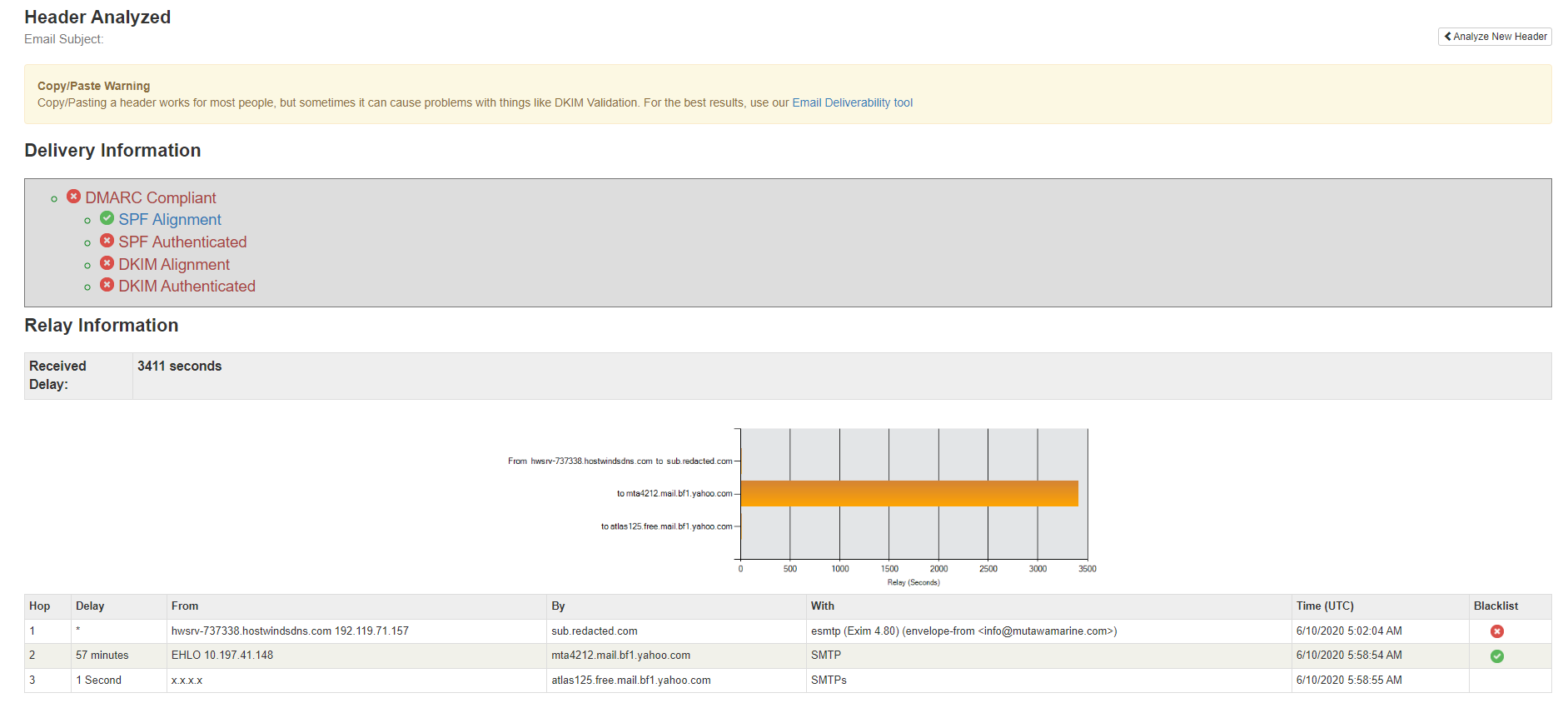
Scroll down to the Relay Information section and pay attention to the first line in the From column.
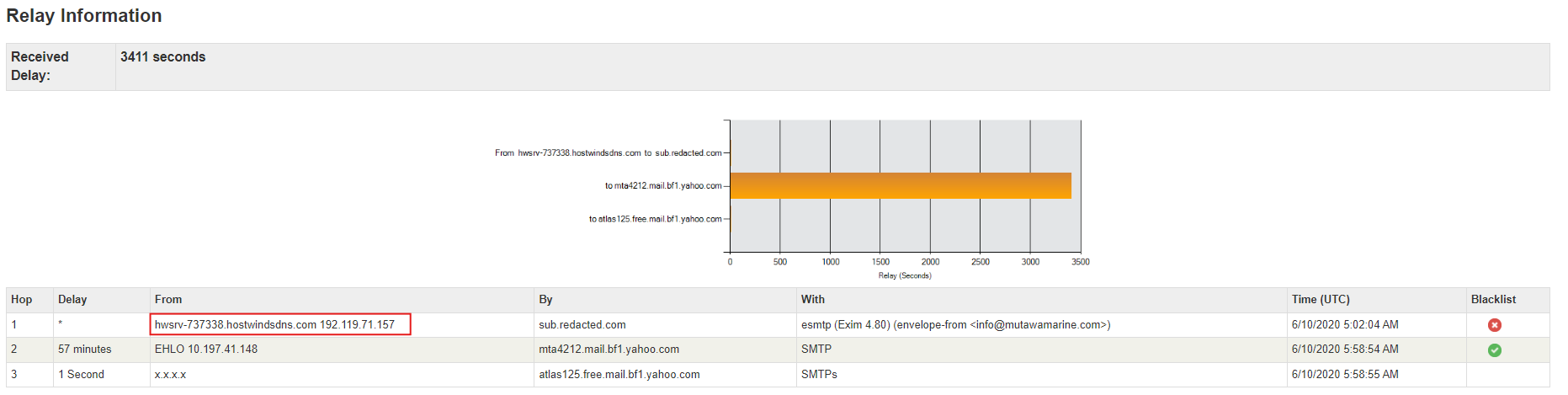
This line contains the origin IP address we need: 192.119.71.157
In addition, we can see the following information:
- 192.119.71.157 (Hostwinds server)
→ This is where the email was first created/sent.
- Yahoo MTA (mta4212.mail.bf1.yahoo.com)
→ The Yahoo server that received it.
- Yahoo internal relay (atlas125.free.mail.bf1.yahoo.com)
→ The internal relay within Yahoo.
Q6. Who is the owner of the originating IP?
Once we know the originating IP, tracing the owner of that IP address will be very helpful for further analysis.
To perform the ownership lookup, I used the whois tool available in Kali Linux. The full command is: whois 192.119.71.157
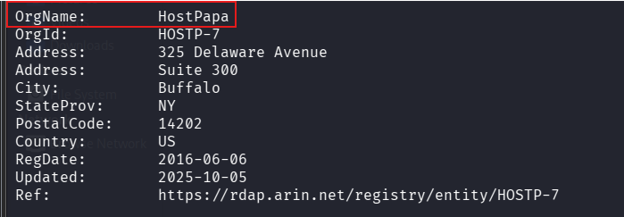
The result shows that I was able to identify the owner: HostPapa
We also saw the specific address: 325 Delaware Avenue, Buffalo city, NY state, US
Q7. Run an SPF record check on the Return-Path domain identified in the email headers. What is the full SPF record for this domain?
When analyzing email headers, checking the SPF record of the domain in the Return-Path helps verify whether the sending servers are authorized to send mail on behalf of that domain.
SPF works by having the domain publish a list of servers/IPs authorized to send email. When a message is received, the system obtains the domain from the Return-Path and compares it with the SPF record.

Here, the domain in the Return-Path is mutawamarine.com.
I used the built-in tool SPF surveyvor to view the SPF record for this domain.
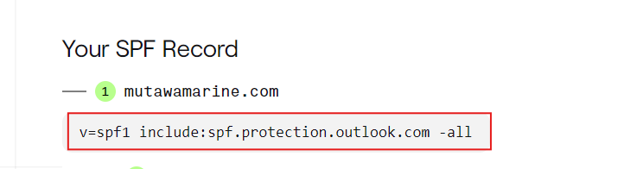
For example, this record means that the domain only allows Microsoft 365/Outlook to send valid email, and all other sources are considered invalid (-all).
In practical analysis, SPF helps detect spoofing, check the legitimacy of the sending infrastructure, and support the evaluation of email trustworthiness. However, SPF only verifies that the sending server is authorized, not that the email is safe or free from account compromise.
Q8. Perform a DMARC lookup for the Return-Path domain found in the email headers. What is the complete DMARC record for this domain?
DMARC (Domain-based Message Authentication, Reporting & Conformance) is a mechanism that allows a domain to control how spoofed emails are handled based on the results of SPF and DKIM.
For the domain:
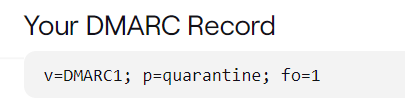
v=DMARC1; p=quarantine; fo=1
This can be interpreted as follows:
- v=DMARC1: this is a DMARC record.
- p=quarantine: if email fails DMARC, the system should place it in spam/quarantine rather than the inbox or reject it outright.
- fo=1: generate reports when SPF or DKIM fails (at least one of the two fails).
Q9. What is the file name of the attachment found in the email?
This email has an attachment that we can download and inspect for its hash.
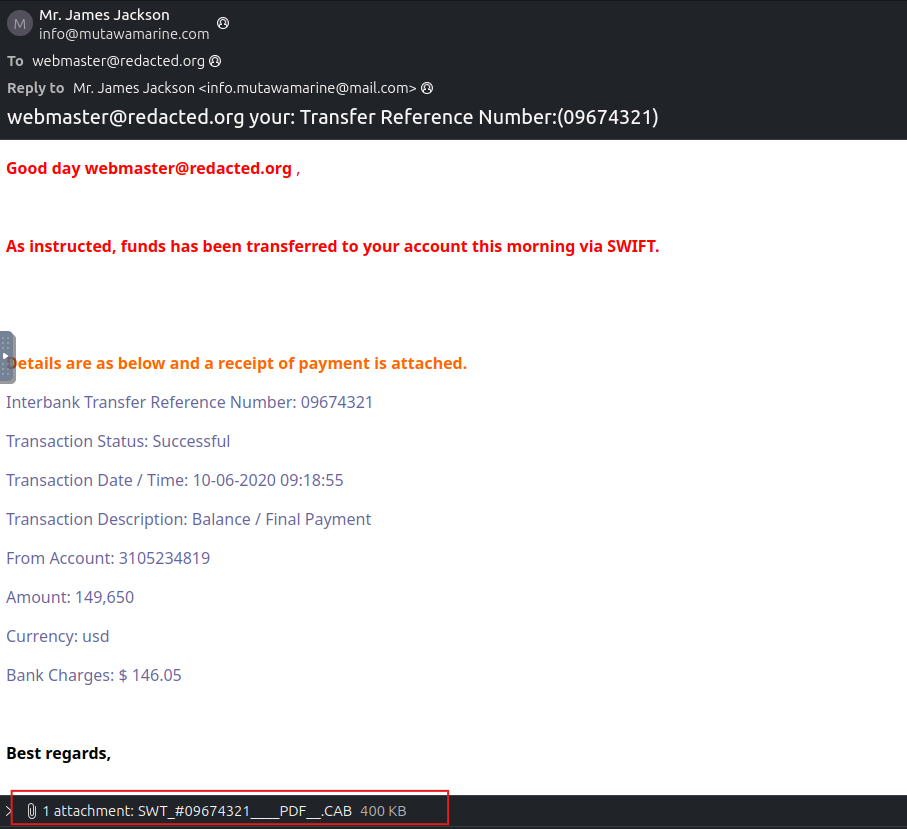
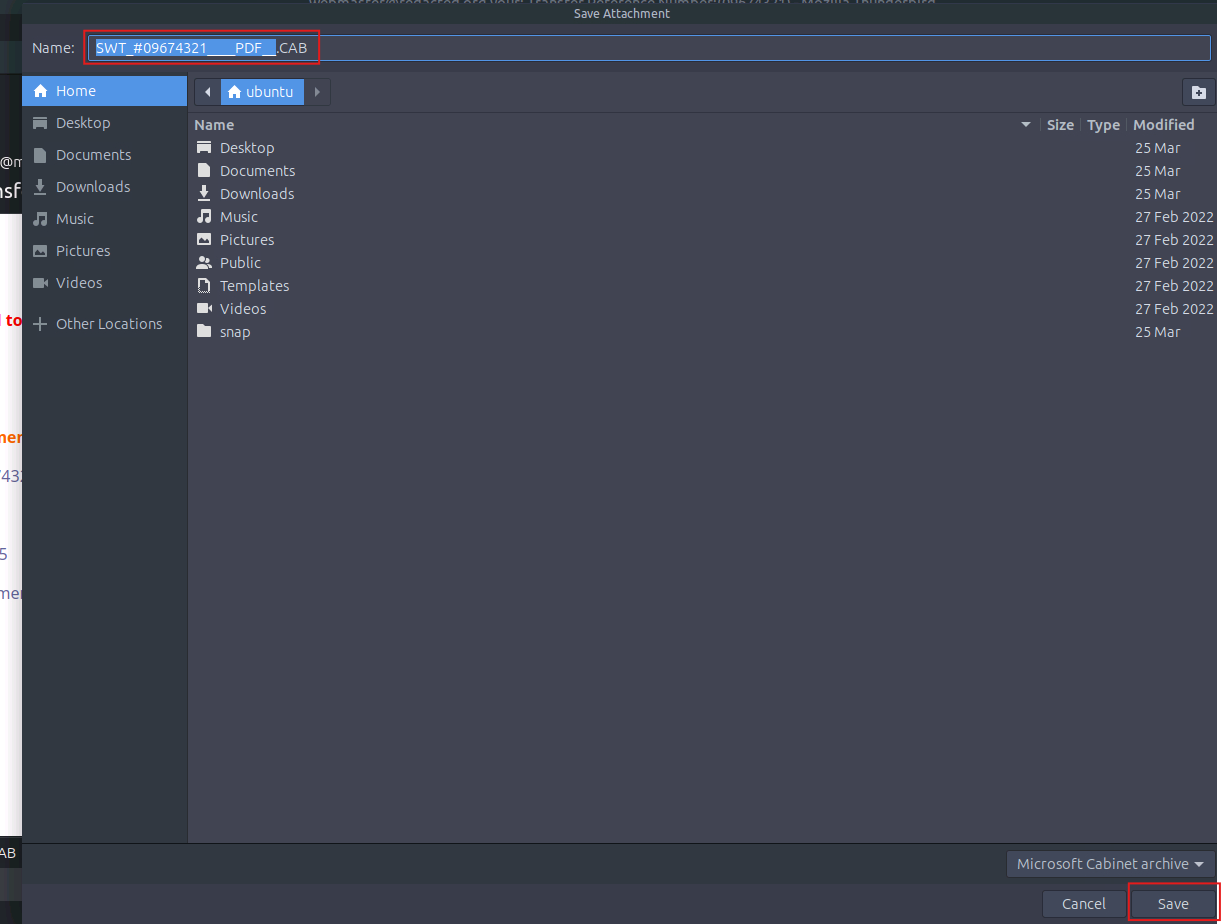
The file is named: SWT_#09674321____PDF__.CAB
Q10. Using the sha256sum command, what is the SHA256 hash of the file?
We can determine the hash by using the sha256sum command in Linux.

Hash: 2e91c533615a9bb8929ac4bb76707b2444597ce063d84a4b33525e25074fff3f
Q11. Investigate the file hash from the previous question using VirusTotal (opens in new tab). What is the attachment’s file size in KB (e.g., 122.31 KB)?
To determine how many KB the file is, we can use a threat intelligence platform such as VirusTotal.
Not only does it show file size, but it also provides other details such as malware family, dropped files, and behavior.
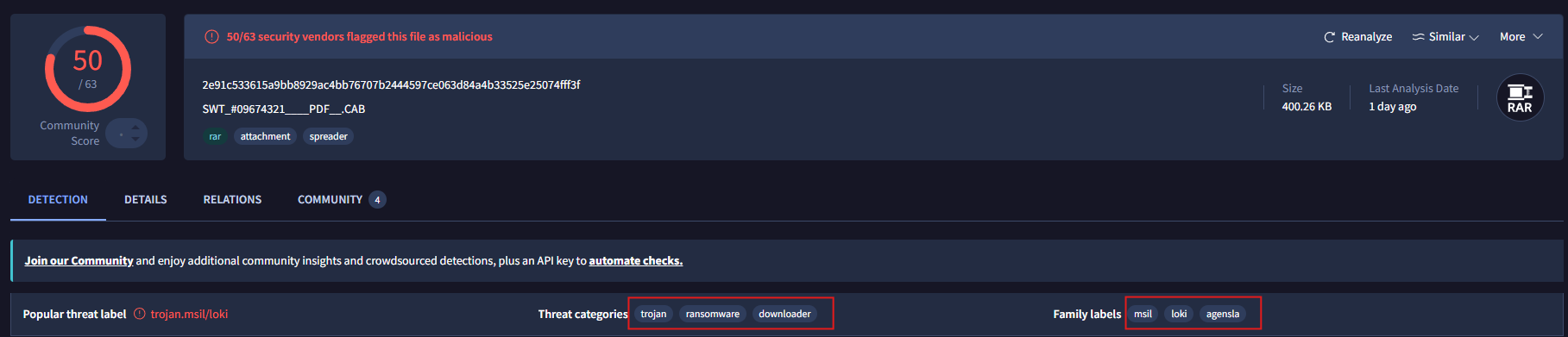
VirusTotal results show the .CAB file was flagged as malware by 50/63 security vendors. It is labeled with malware families such as msil, loki, agensla.
To find the file size as requested by the question, go to the Details tab.
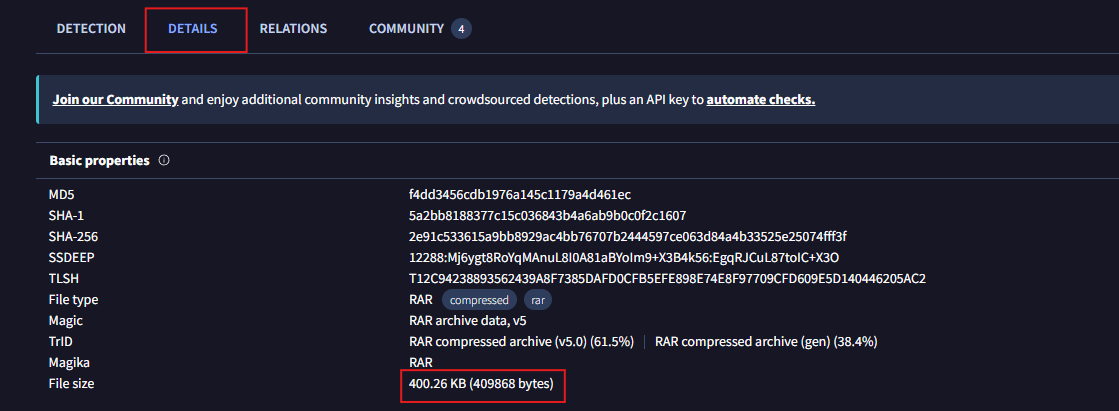
So the file size is: 400.26 KB
Q12. Continue your research on the file. What is the actual file type of the attachment?
Based on the image above, note that the File Type field lists RAR.
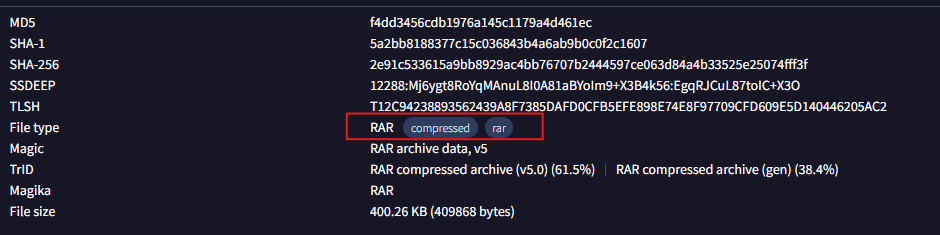
So the actual file type is .RAR, not .CAB as initially assumed.
Summary
In this lab, we analyzed an email with phishing indicators from multiple perspectives, including header analysis, SPF, DKIM, DMARC, IP tracing, and attachment analysis. The results show that the email contains several suspicious indicators such as mismatched sender information, weak domain authentication, and an attachment that appears malicious. From this, we can conclude that combining authentication checks (SPF, DKIM, DMARC) with content and file analysis is essential for detecting phishing emails and reducing the risk of attacks against users in real-world scenarios.