Phishing Report Guidance
Scenario
You have recently joined the security team at ABC Industries as a Junior SOC analyst within their security operations center (SOC). You are responsible for monitoring the SIEM platform, investigating and responding to security events, and protecting the organization from phishing attacks. You have just begun your shift, and in a new effort to proactively identify phishing emails that have made it past perimeter defenses, you have been given two emails from employee mailboxes. It is your job to analyze the downloaded emails, identify if any are malicious, and conduct investigations and write reports for any that are deemed to pose a risk to the organization. Reports should include a list of artifacts, analysis activities and results, and suggested defensive measures which will be reviewed by senior analysts.
To write a complete Phishing Report, we need to follow 3 steps:
Collect IOCs/Artifacts from emails.
Analyze whether those Artifacts are malicious, or related to existing threats within the organization.
Propose prevention and mitigation measures (Defensive Measures)
To make it easier to visualize, the template of a phishing report will look like this:
1
2
3
4
5
6
7
8
9
10
11
12
13
14
15
16
17
18
19
20
21
22
23
24
25
26
27
28
29
30
31
32
33
34
35
36
37
38
39
40
41
42
43
44
45
46
===============================
Malicious Email #1 (Lowest ID Value)
===============================

[+] Email Artifacts:

> Brief description of how the email looks, and what it is trying to do.

> What is the sending adddress?

> What is the subject line?

> Who are the recipients?

> What is the reply-to address? (if present)

> What is the date and time the email was sent? (convert from your timezone to UTC)

> What is the sending sever IP?

> What is the reverse DNS result of the IP?


[+] Web Artifacts:

> What is the full URL?

> What is the root domain?

> What analysis have you done? (URL2PNG, WannaBrowser, VirusTotal, URLScan.io, etc)


[+] File Artifacts:

> What is the file name?

> What is the hash of the file?

> What analysis have you done? (VirusTotal, MalwareBazaar, etc)


[+] Defensive Measures:

> What defensive measures do you want to take regarding email artifacts?

> What defensive measures do you want to take regarding web artifacts?
Email phishing 1
Section 1: Email Description and Artifacts Collected
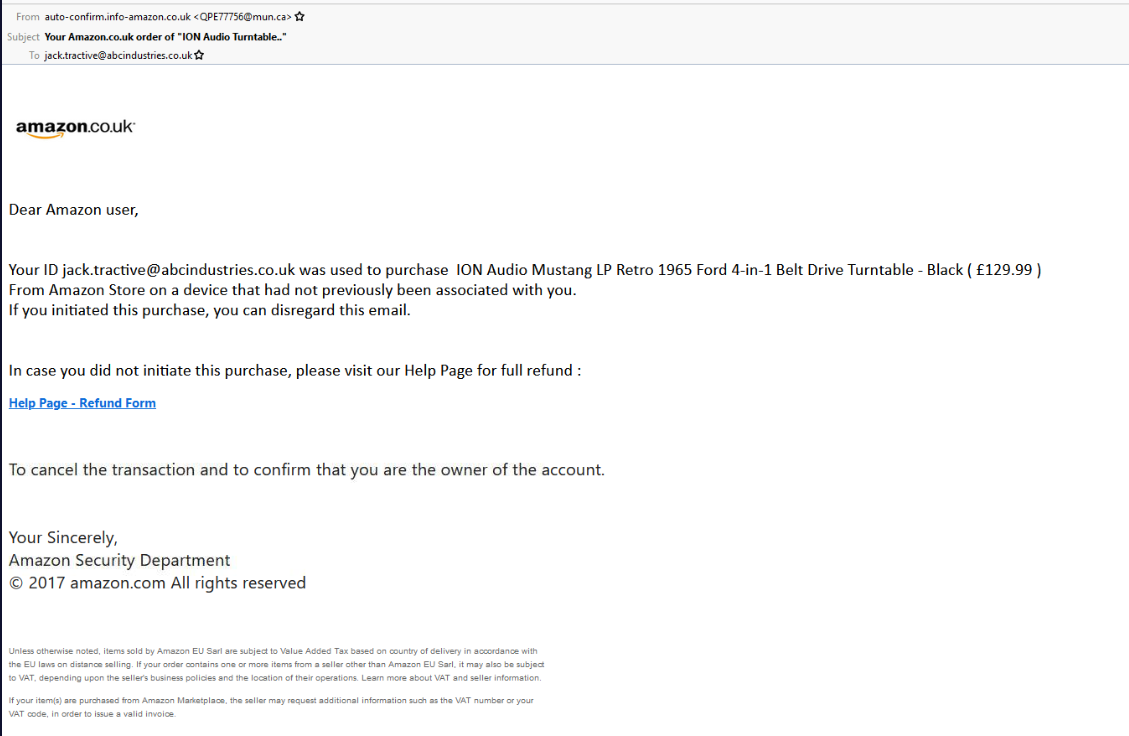
Glancing at the email, we can see it is impersonating Amazon services, stating that the recipient’s Amazon account has been used to purchase an item from an unverified device. And it has an attached link.
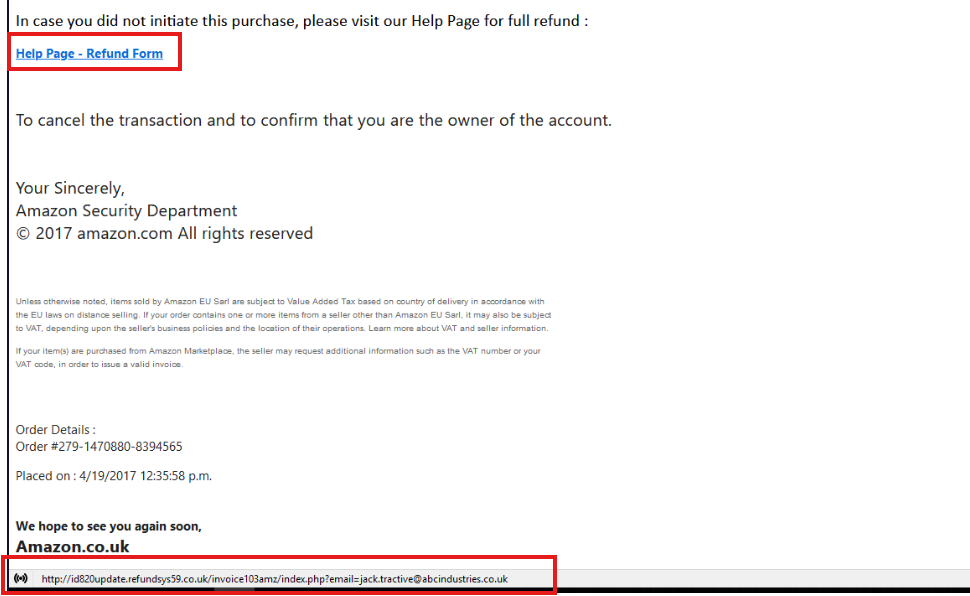
This link is highly suspicious, but I will analyze this artifact later. For now, we can briefly write the email description summary in the report as follows:
“The email impersonated an Amazon order notification, claiming that the recipient’s Amazon account had been used to purchase a 129.99 product from an unrecognized device. The recipient was instructed to click a link.”
Email-based
Regarding the sender’s address, recipient, and email subject, they can easily be seen here

Sending Address: QPE77756@mun.ca
Subject Line: Your Amazon.co.uk order of “ION Audio Turntable..”
Recipients:: jack.tractive@abcindustries.co.uk
To see the IP address from the sending server, it requires viewing the View Source section
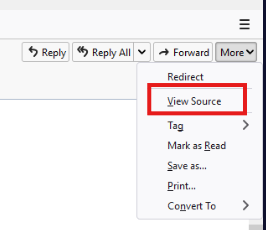
Ctrl + F and search for the keyword “Sender”, this is the result I found:

Sending Server IP: 68.114.190.29
Proceed to check what the domain name of this IP address is by using Reverse DNS lookup, I use the Mxtoolbox tool available on the web
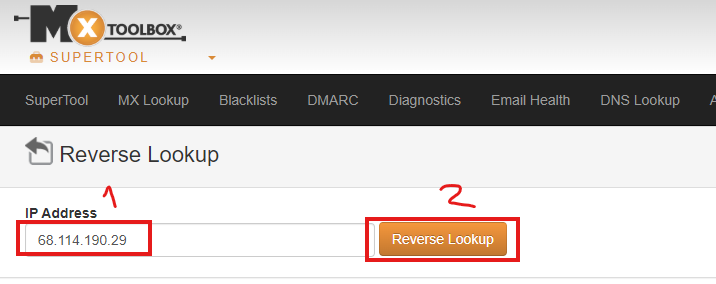
The returned result shows the domain has the following name:

Reverse DNS: mtaout004-public.msg.strl.va.charter.net
In the reply-to section, I don’t see any email address that will receive replies to this phishing email
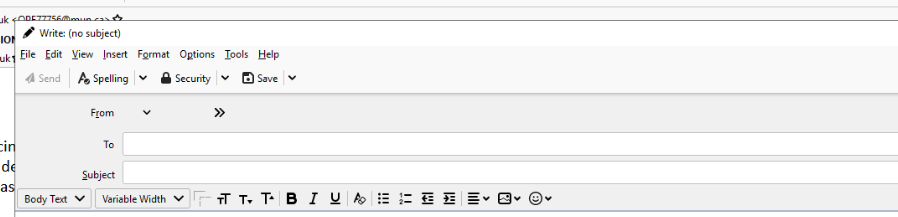
When clicking reply-all, no email is pre-filled in the “To” field
Reply-To: none
The time the email was sent can be seen in the View Source section or the header of the email
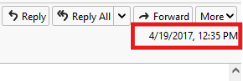
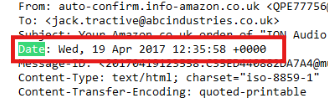
Date and Time: Wed, 19 Apr 2017 12:35:58 +0000
Web-based
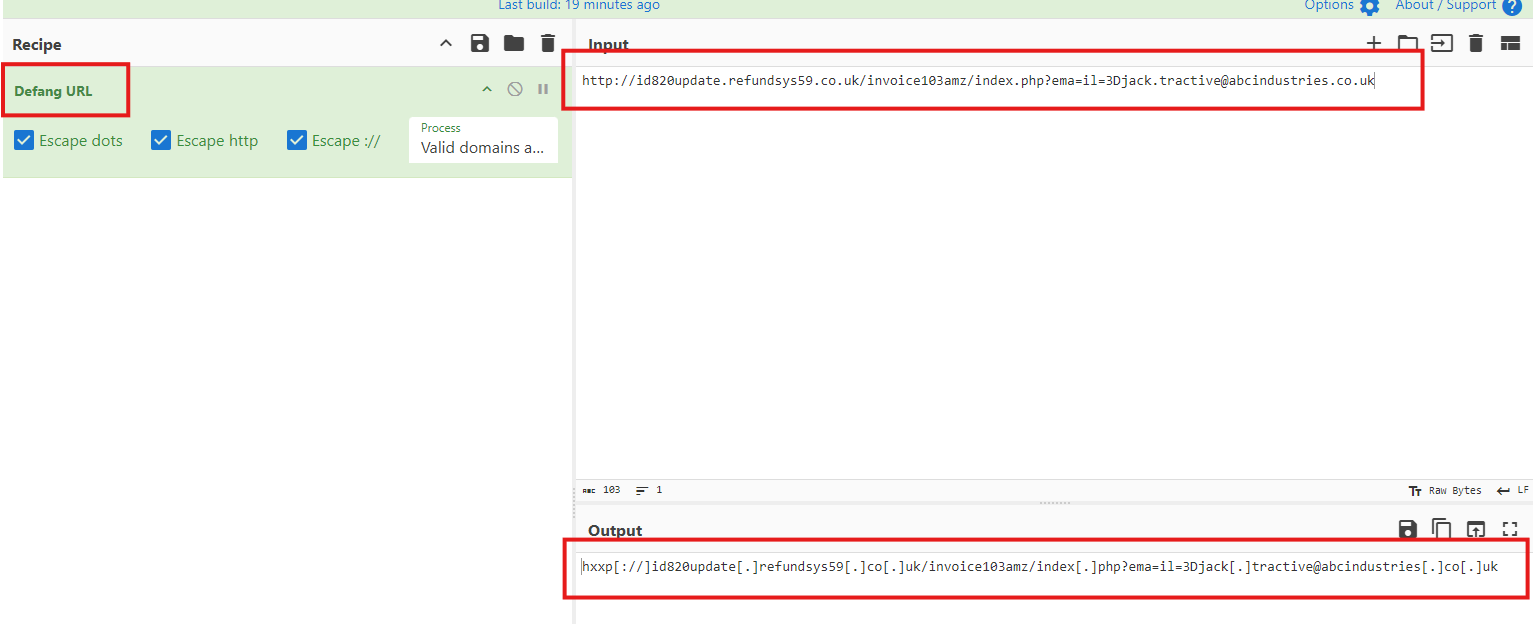
As mentioned earlier, the email contains a suspicious link, specifically:

Full URL (sanitized): hxxp[://]id820update[.]refundsys59[.]co[.]uk/invoice103amz/index[.]php?ema=il=3Djack[.]tractive@abcindustries[.]co[.]uk
Root Domain (sanitized): hxxp[://]refundsys59[.]co[.]uk
Note: When attaching artifacts such as links, hashes,… they must be defanged to prevent readers from accidentally clicking on malicious links carrying infection risks, or malicious codes being automatically downloaded to their machines. We can use Cyberchef to do this easily.
Section 2: Artifact Analysis
In this section, I proceed to analyze the artifacts collected above. First, I use the URL2PNG tool to check what web page the URL address will return
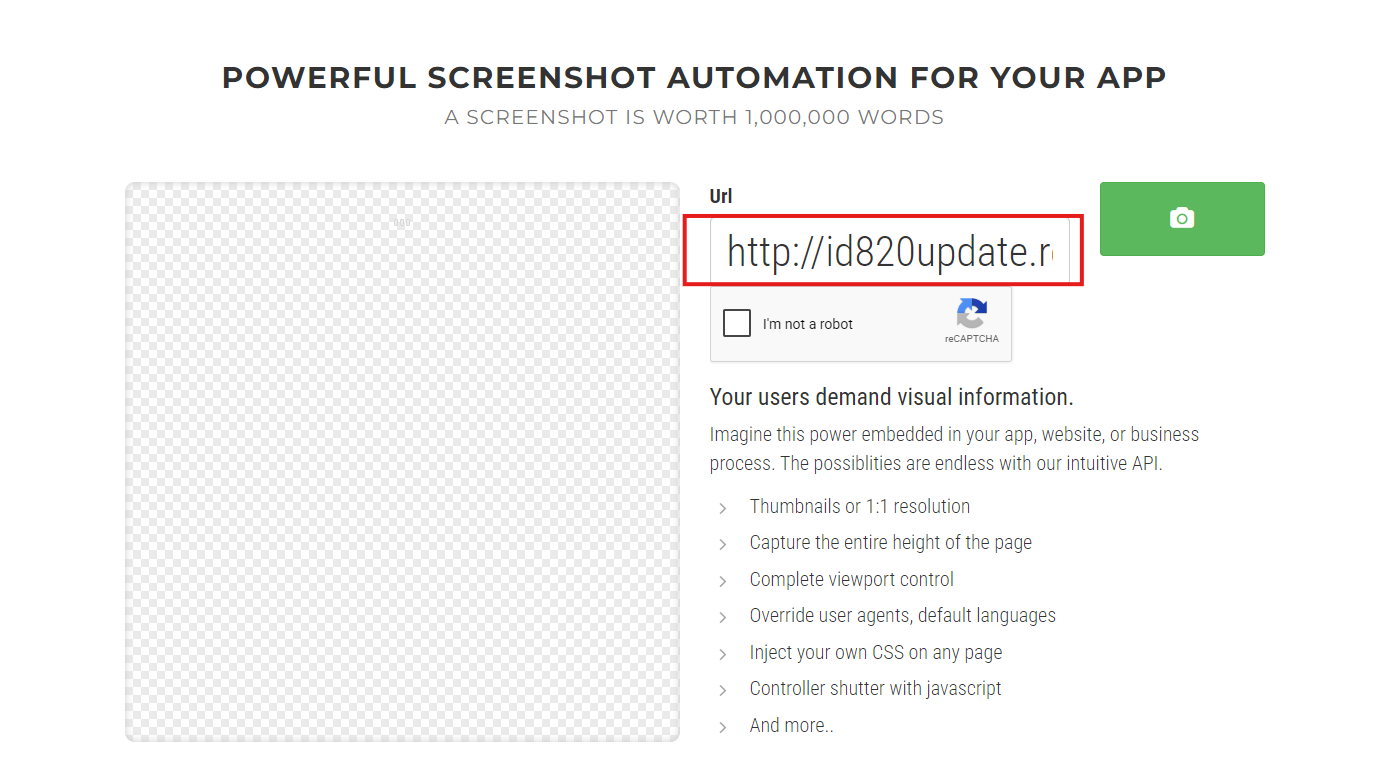
Waiting for quite a while, I don’t see the URL return any web page, it is likely this URL is down or timed out.
Next, use VirusTotal to check the reputation of the root domain
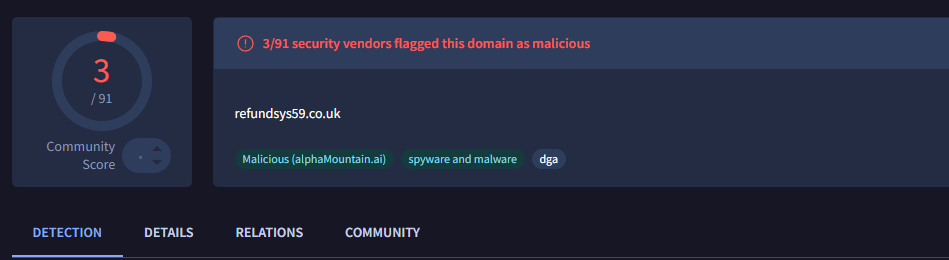
The VirusTotal results show the root domain is flagged as malicious by 3/91 security vendors
Currently, we can write the report for this section as follows:
“A reverse DNS lookup confirmed that the sending server belonged to “charter.net”, which does not match the claimed sender domain “mun.ca”. This mismatch is suspicious and my indicate that the sender is spoofing.
URL2PNG was unable to access the URL at the time of analysis.
VirusTotal flagged the root domain as malicious (3/91 engine)
Can not confirm if there was any network connections to the malicious domain due to have not checked the SIEM and EDR yet.
Can not confirm if user have replied to this email due to have not checked the email gateway yet.”
The reason I added the last 2 lines is because for the report to be complete in a real-world scenario, it is necessary to check other data sources like SIEM and Email Gateway, however in my practice environment there are still infrastructure limitations, lacking a SIEM/EDR system to check, but for training to align with the process of a SOC analyst, keeping the report section like this is essential.
Section 3: Suggested Defensive Measures
At the final part is where we will propose reasonable defense methods without causing other negative consequences that affect the business and other related activities
For instance, having known the sender’s address is “QPE77756@mun.ca”, the current reasonable action is to only block the specific sender’s address. Blocking the entire domain “mun.ca” is unnecessary and could be overkill. Blocking an entire domain should only be done when you can prove this domain is used for mass attack purposes or many email addresses from this domain are found to be related to phishing campaigns.
I finalize the report sentence for this part as follows:
” As the sender using unknown email address. The most appropriate action is block this specific sender address.
Requesting an email gateway block for the specific sending address:
“QPE77756@mun.ca” “
Next is handling defensive measures for the link, specifically the root domain. We think about it like this, the URL has been recognized as malicious (evidence on VirusTotal), and there is no legitimate business justification for employees to access this link. So blocking the entire domain on the web proxy is reasonable. This prevents employees from connecting to the site, contributing to making future phishing attacks reusing the same domain ineffective.
I finalize the report sentence:
” The URL domain has been recognized as malicious, and there is no business justification for any employees needing to access this site. As it has malicious reputation on VirusTotal, the entire domain can be blocked on the web proxy, preventing employees from connect to the site. Contribute to carrying out the phishing attacks in the future using this same domain ineffective.
Requesting a web proxy block for the domain:
“id820update[.]refundsys59[.]co[.]uk” “
Final Report
So the process of investigating a phishing email from start to finish is complete, I will leave the full report below so you can have a broader overview
Email Description and Artefacts Collected
Sending Address: QPE77756@mun.ca
Subject Line: Your Amazon.co.uk order of “ION Audio Turntable..”
Recipients: jack.tractive@abcindustries.co.uk
Sending Server IP: 68.114.190.29
Reverse DNS: mtaout004-public.msg.strl.va.charter.net
Reply-To: none
Date and Time: Wed, 19 Apr 2017 12:35:58 +0000
Full URL (sanitized): hxxp[://]id820update[.]refundsys59[.]co[.]uk/invoice103amz/index[.]php?email=jack[.]tractive@abcindustries[.]co[.]uk
Root Domain: hxxp[://]refundsys59[.]co[.]uk
The email impersonated an Amazon order notification, claiming that the recipient’s Amazon count had been used to purchase a 129.99 product from an unrecognized device. The recipient was instructed to click a link.
Artifact Analysis
A reverse DNS lookup confirmed that the sending server belonged to “charter.net”, which does not match the claimed sender domain “mun.ca”. This mismatch is suspicious and my indicate that the sender is spoofing.
URL2PNG was unable to access the URL at the time of analysis.
VirusTotal flagged the root domain as malicious (4/92 engine)
Can not confirm if there was any network connections to the malicious domain due to have not checked the SIEM and EDR yet.
Can not confirm if user have replied to this email due to have not checked the email gateway yet.
Suggested Defensive Measures
As the sender using unknown email address. The most appropriate action is block this specific sender address.
Requesting an email gateway block for the specific sending address “QPE77756@mun.ca”
The URL domain has been recognized as malicious, and there is no business justification for any employees needing to access this site. As it has malicious reputation on VirusTotal, the entire domain can be blocked on the web proxy, preventing employees from connect to the site. Contribute to carrying out the phishing attacks in the future using this same domain ineffective.
Requesting a web proxy block for the domain “id820update[.]refundsys59[.]co[.]uk”
Email phishing 2
I will go through another example so you can understand better, for this email sample, the writing style will be slightly different because it has a malicious file attached, not just a URL
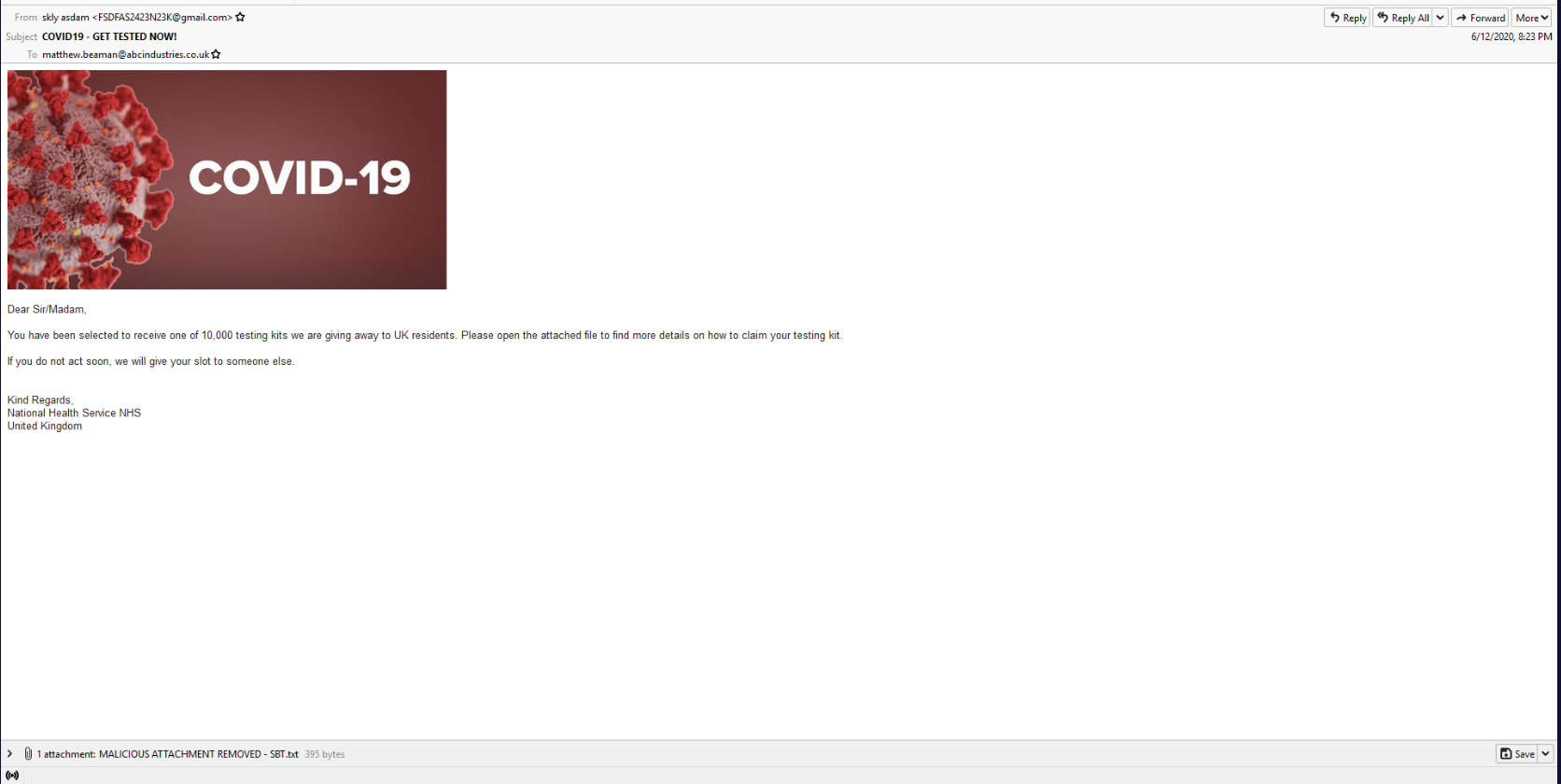
The entire artifact extraction method is no different from the first example, so I will just leave the results I have collected below
Section 1: Email Description and Artifacts Collected
Email-based
Sending Address: FSDFAS2423N23K@gmail.com
Subject Line: COVID19 - GET TESTED NOW!
Recipients: matthew.beaman@abcindustries.co.uk
Sending Server IP: 209.85.160.173
Reverse DNS: mail-qt1-f173.google.com
Reply-To: none
Date and Time: Fri, 12 Jun 2020 21:23:00 +0100
Web-based
Full URL (sanitized): none
Root Domain: none
File-based
Filename: COVID19-Testing-Kit-2020.pdf.exe
SHA256 hash: 8B2E701E91101955C73865589A4C72999AEABC11043F712E05FDB1C17C4AB19A
Section 2: Artifact Analysis
The reverse DNS lookup result shows the IP comes from “gmail.com”

Proceed to check the reputation with VirusTotal, but this time we check with the file’s hash code

The results show up to 58/70 security vendors flag this file as malicious, besides it is also labeled as trojan, spyware, downloader. This almost certainly means this file is malware
Up to here, I can conclude the report part for this section as follows:
“A reverse DNS lookup confirmed that sender IP came from Gmail domain.
VirusTotal flagged the file as malicious with (58/70 engine), relate to trojan, spyware and downloader.
The attachment uses a deceptive double extension (.pdf.exe) to appear as a PDF while actually being an executable file.
Can not confirm if there was any malicious network connections outbound/inbound due to have not checked the SIEM and EDR yet.
Can not confirm if user have replied to this email due to have not checked the email gateway yet.”
Section 3: Suggested Defensive Measures
At the final part is where we will propose reasonable defense methods without causing other negative consequences that affect the business and other related activities
For instance, having known the sender’s address is “FSDFAS2423N23K@gmail.com”, the current reasonable action is to only block the specific sender’s address. Blocking the entire domain “gmail.com” is unnecessary and could be overkill. This would cause serious consequences regarding legitimate emails from the Gmail domain also being blocked.
I finalize the report sentence for this part as follows:
“As the sender using Gmail address, blocking this entire address would cause a negative consequence. The most appropriate action is block sender’s specific email address.
Requesting an email gateway block for the specific address:
“FSDFAS2423N23K@gmail.com””
The attachment has been verified as malicious by VirusTotal. It currently cannot be confirmed whether the user has executed the file or not, endpoint isolation is not yet necessary. The reasonable action right now is to block the hash code to prevent the malicious file from executing on the endpoint
Finalizing the sentence:
” Requesting an EDR block for SHA256 hash to prevent the malicious file from executing on protected endpoints:
“8B2E701E91101955C73865589A4C72999AEABC11043F712E05FDB1C17C4AB19A”
EDR and SIEM telemetry should be reviewed to determine whether the malicious file was executed. If execution is confirmed, endpoint isolation should be conducted. “
Adding the final line to remind that it is necessary to recheck EDR/SIEM to confirm whether the malicious file has been executed, if execution is confirmed, immediate isolation is required
Final Report
Email Description and Artefacts Collected
Sending Address: FSDFAS2423N23K@gmail.com
Subject Line: COVID19 - GET TESTED NOW!
Recipients: matthew.beaman@abcindustries.co.uk
Sending Server IP: 209.85.160.173
Reverse DNS: mail-qt1-f173.google.com
Reply-To: none
Date and Time: Fri, 12 Jun 2020 21:23:00 +0100
Full URL (sanitized): none
Root Domain: none
Filename: COVID19-Testing-Kit-2020.pdf.exe
SHA256 hash: 8B2E701E91101955C73865589A4C72999AEABC11043F712E05FDB1C17C4AB19A
The email claimed that the recipient was eligible for a free COVID-19 testing kit and instructed them to open an attached file for more information.
Artifact Analysis
A reverse DNS lookup confirmed that sender IP came from Gmail domain.
VirusTotal flagged the file as malicious with (58/70 engine), relate to trojan, spyware and downloader.
The attachment uses a deceptive double extension (.pdf.exe) to appear as a PDF while actually being an executable file.
Can not confirm if there was any malicious network connections outbound/inbound due to have not checked the SIEM and EDR yet.
Can not confirm if user have replied to this email due to have not checked the email gateway yet.
Suggested Defensive Measures
As the sender using Gmail address, blocking this entire address would cause a negative consequence. The most appropriate action is block sender’s specific email address.
Requesting an email gateway block for the specific address: “FSDFAS2423N23K@gmail.com”
The attachment has been identified as malicious by VirusTotal. Since it has not yet been confirmed whether the recipient executed the file, endpoint isolation is not currently justified
Requesting an EDR block for SHA256 hash to prevent the malicious file from executing on protected endpoints: “8B2E701E91101955C73865589A4C72999AEABC11043F712E05FDB1C17C4AB19A”
EDR and SIEM telemetry should be reviewed to determine whether the malicious file was executed. If execution is confirmed, endpoint isolation should be conducted.