Bitlocker CTF Challenge - picoCTF
Description: Jacky is not very knowledgeable about strong security passwords and used a simple password to encrypt their BitLocker drive. See if you can break through the encryption!
=======================================================================================
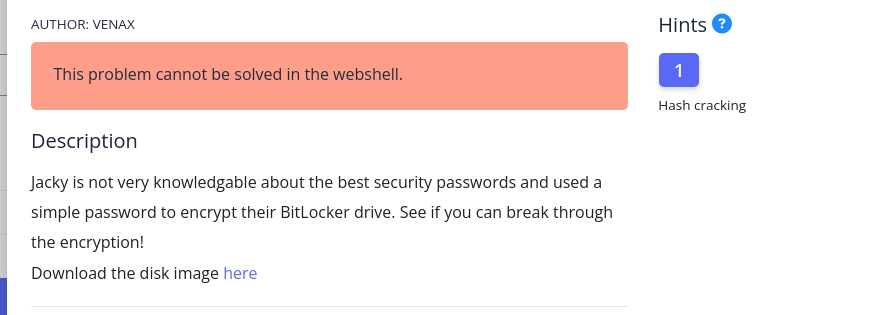
File provided: a raw disk image (bitlocker-1.dd)
Step 1: Identify the image

The result shows that this is a DOS/MBR boot sector containing a BitLocker partition. Because BitLocker is a proprietary Windows encryption technology, it cannot be mounted normally on Linux without the correct key or password.
Step 2: Extract the password hash
Based on the hint “hash cracking”, I used the bitlocker2john tool from John the Ripper to extract the password hash (recovery/user password) from the metadata of the .dd file.
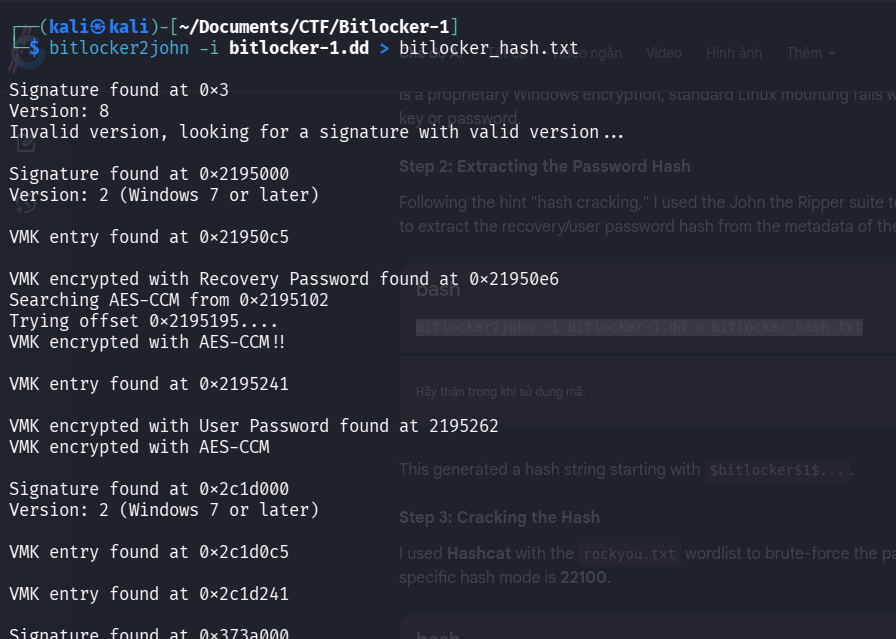
The result produced a hash string beginning with $bitlocker$1$...
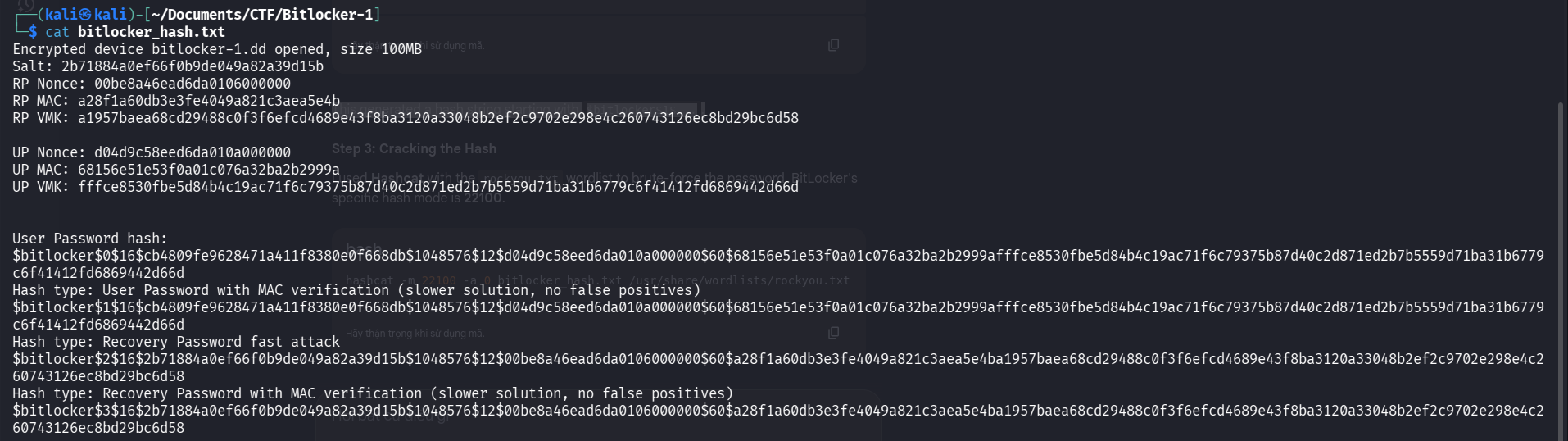
Step 3: Crack the hash
With the extracted hash file (bitlocker_hash.txt), I used John the Ripper to perform a dictionary attack using the standard rockyou.txt wordlist.
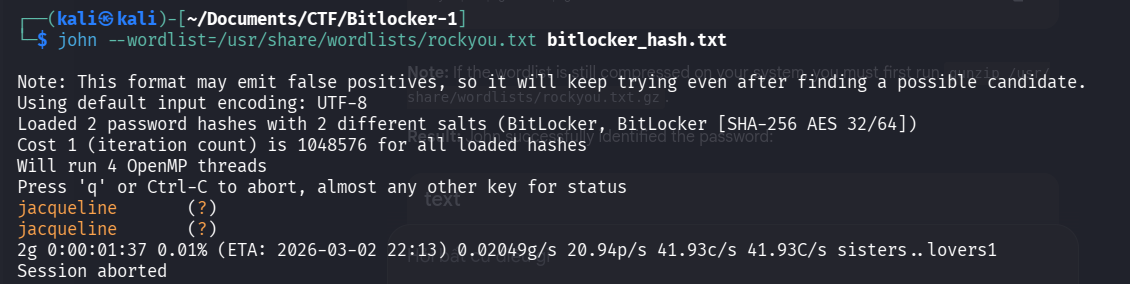
Result: John successfully cracked the password: Jacqueline
Step 4: Decrypt the volume
To access the encrypted data on Linux, I used Dislocker. The mount process requires two separate steps: the decryption layer and the filesystem layer.

Unlock the BitLocker layer:
Use the cracked password to create a decrypted virtual file.
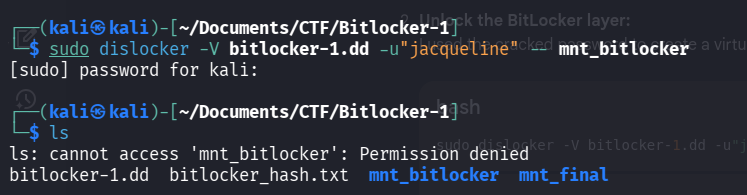
This produced the virtual file: ~/mnt_bitlocker/dislocker-file
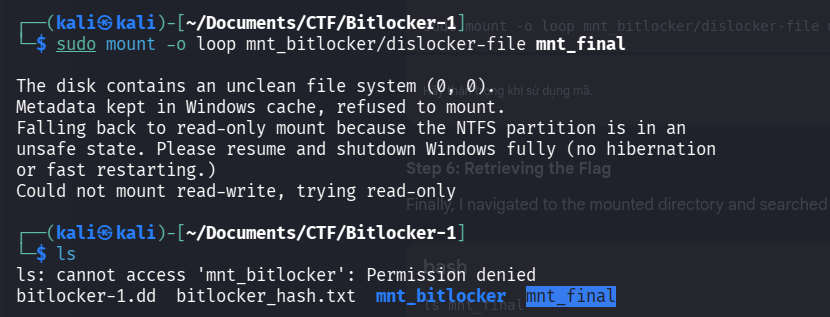
Step 5: Mount the filesystem
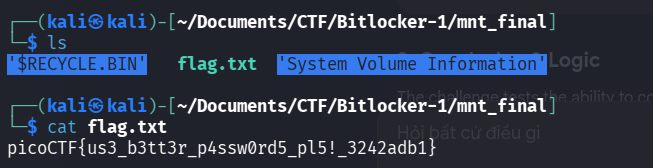
The dislocker-file is a raw NTFS partition. I mounted it into a second directory to view the actual files.
Conclusion & logic
This challenge tests the combination of disk forensics (extracting hidden hashes) and cryptography (cracking password-based encryption).
The key lesson is the “two-directory” mounting logic:
• The first directory contains the decrypted data stream (the virtual file).
• The second directory parses that stream into a readable filesystem (the real files).