Secret
Scenario
You are a senior cybersecurity engineer. During your shift, you notice high-privilege actions originating from an unknown source that appear malicious. You have been given the ticket that triggered these actions. You are the one who created the secret for these tickets. Please fix it and submit a lower-privilege ticket so we can confirm that you deserve the position.
Here is the ticket:
eyJ0eXAiOiJKV1QiLCJhbGciOiJIUzI1NiJ9.eyJmbGFnIjoiQlRMe180X0V5ZXN9IiwiaWF0Ijo5MDAwMDAwMCwibmFtZSI6IkdyZWF0RXhwIiwiYWRtaW4iOnRydWV9.jbkZHll_W17BOALT95JQ17glHBj9nY-oWhT1uiahtv8
This lab helps learners understand the structure and behavior of JWT tokens by analyzing an authentication ticket. The goal is to identify the token components, inspect the contents, and complete the required task.
Understanding the concept
JWT (JSON Web Token) is typically represented as a string with parts separated by dots. For signed tokens, the common structure is:
1
Header.Payload.Signature
In this structure:
- Header contains the token type and signing algorithm.
- Payload contains user information or permissions, known as claims.
- Signature is used to verify that the token has not been altered.
The token in the challenge has the form:
1
xxxxx.yyyyy.zzzzz
The string has exactly three parts separated by two dots, which is an initial sign that it may be a JWT. When the Header is decoded using Base64URL, we get:

1
2
3
4
{
  "typ": "JWT",
  "alg": "HS256"
}
The typ field confirms that it is a JWT, and the alg field shows that it is signed using HMAC-SHA256.
In terms of structure, JWTs generally appear in two main forms:
- JWS – JSON Web Signature: the token is signed and typically has three parts: Header.Payload.Signature.
- JWE – JSON Web Encryption: the token is encrypted and typically has five parts.
The token in this challenge is a JWT in JWS form because it has three parts and uses the HS256 signature.
–> At this point, we can identify the token type as JWT.
–> Its structure is Header.Payload.Signature.
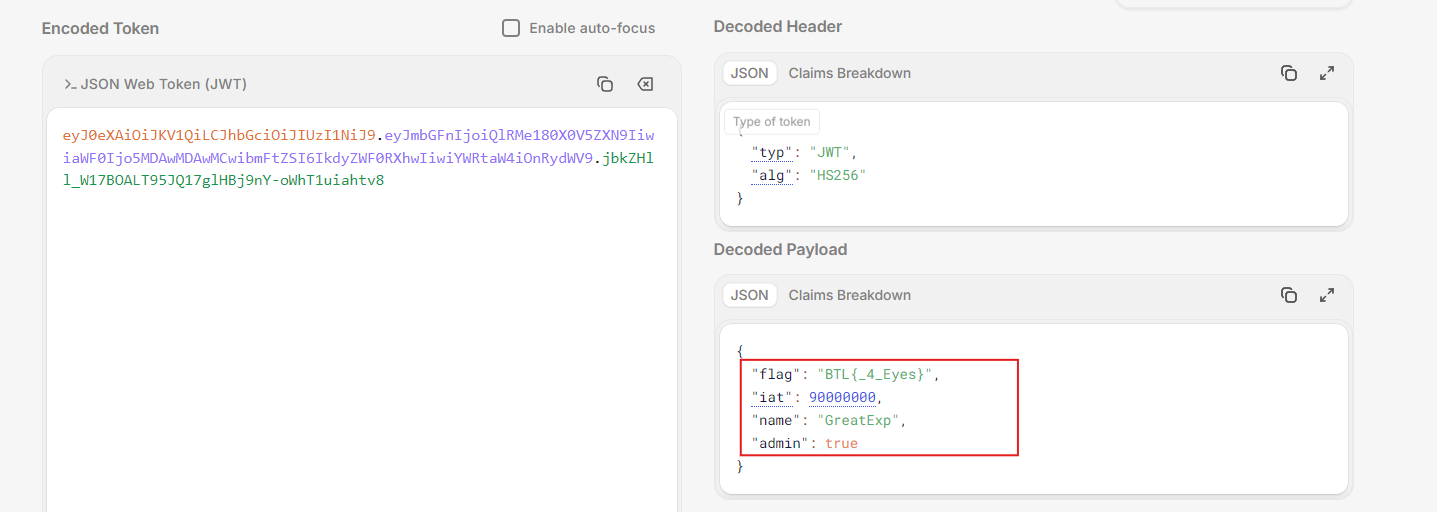
Not only the decoded Header, but also the full token reveals the following payload:
1
2
3
4
5
6
{
  "flag": "BTL{_4_Eyes}",
  "iat": 90000000,
  "name": "GreatExp",
  "admin": true
}
The payload contains claims associated with the token. In this case, iat indicates when the token was issued, name identifies the user, and admin: true indicates that the token currently carries administrative privileges.
The most notable field is:
1
"flag": "BTL{_4_Eyes}"
And the value to focus on is:
1
_4_Eyes
The number 4 can be interpreted as a hint suggesting that the signing secret may be 4 characters long. This helps narrow the search space for the secret in the next step.
It is also important to note that being able to read the Payload does not mean the token has been decrypted with a secret key. In JWTs, the Header and Payload are only Base64URL-encoded, so anyone with the token can read them; the integrity of the token is protected by the Signature.
From the value _4_Eyes, the most notable detail is the number 4. Combined with the fact that the Header shows the token uses HS256, I suspected that the signing secret might be only 4 characters long. That is short enough to brute-force using a mask attack.
To verify this hypothesis, I saved the full JWT into a file called JWTToken.txt.

Then I used Hashcat with the mode for JWT tokens:
1
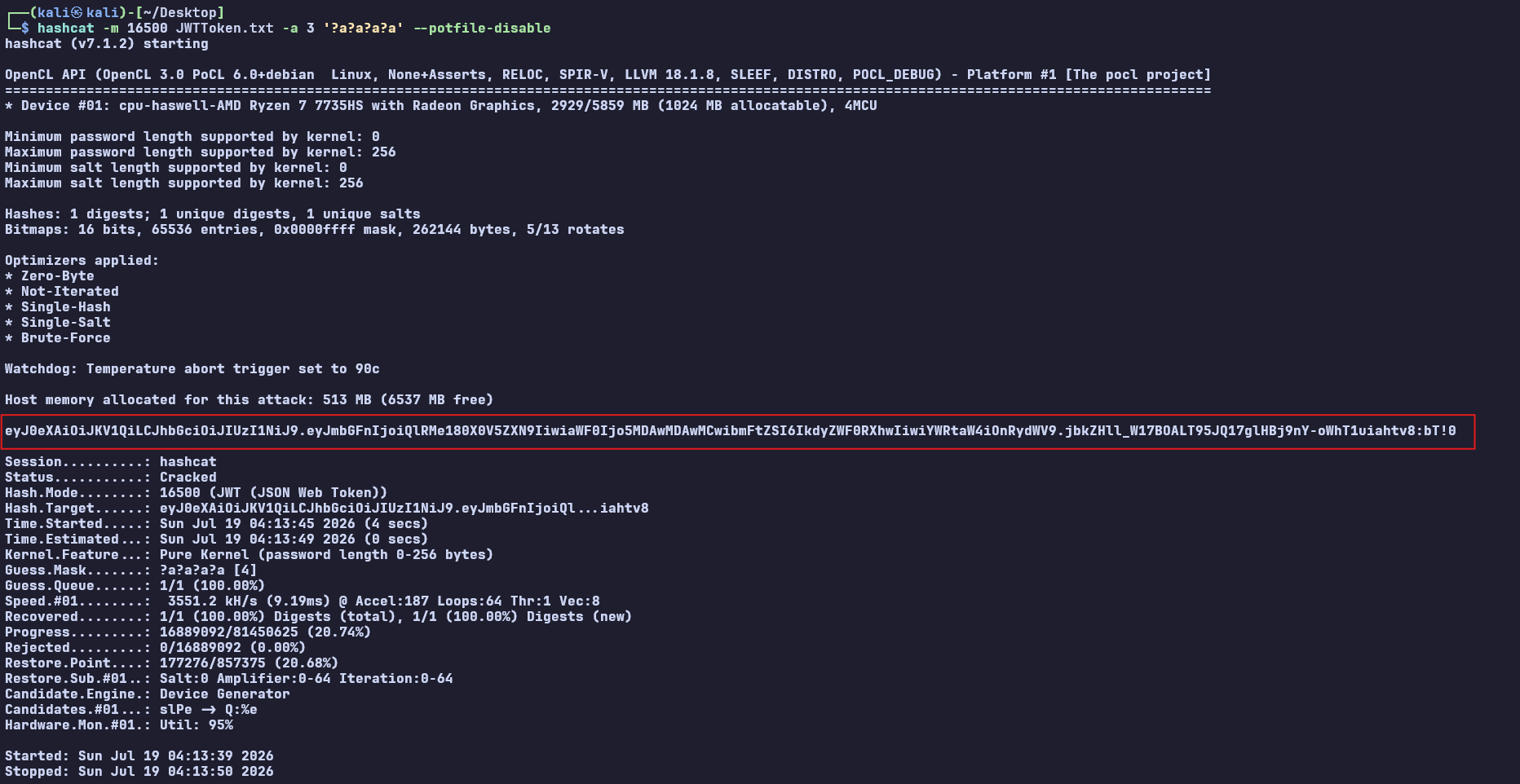
hashcat -m 16500 JWTToken.txt -a 3 '?a?a?a?a'

Here, -m 16500 specifies the JWT format, -a 3 uses a mask attack, and each ?a represents any character, including uppercase letters, lowercase letters, numbers, and special characters. The four ?a positions correspond to the hypothesis that the secret is four characters long.
After a short time, Hashcat found a value that matched the token signature:
1
bT!0
To confirm that this was the correct secret, I entered the token and secret into a JWT verification tool. When the signature status changed to Signature Verified, I could confirm that bT!0 was the key used to sign the ticket.
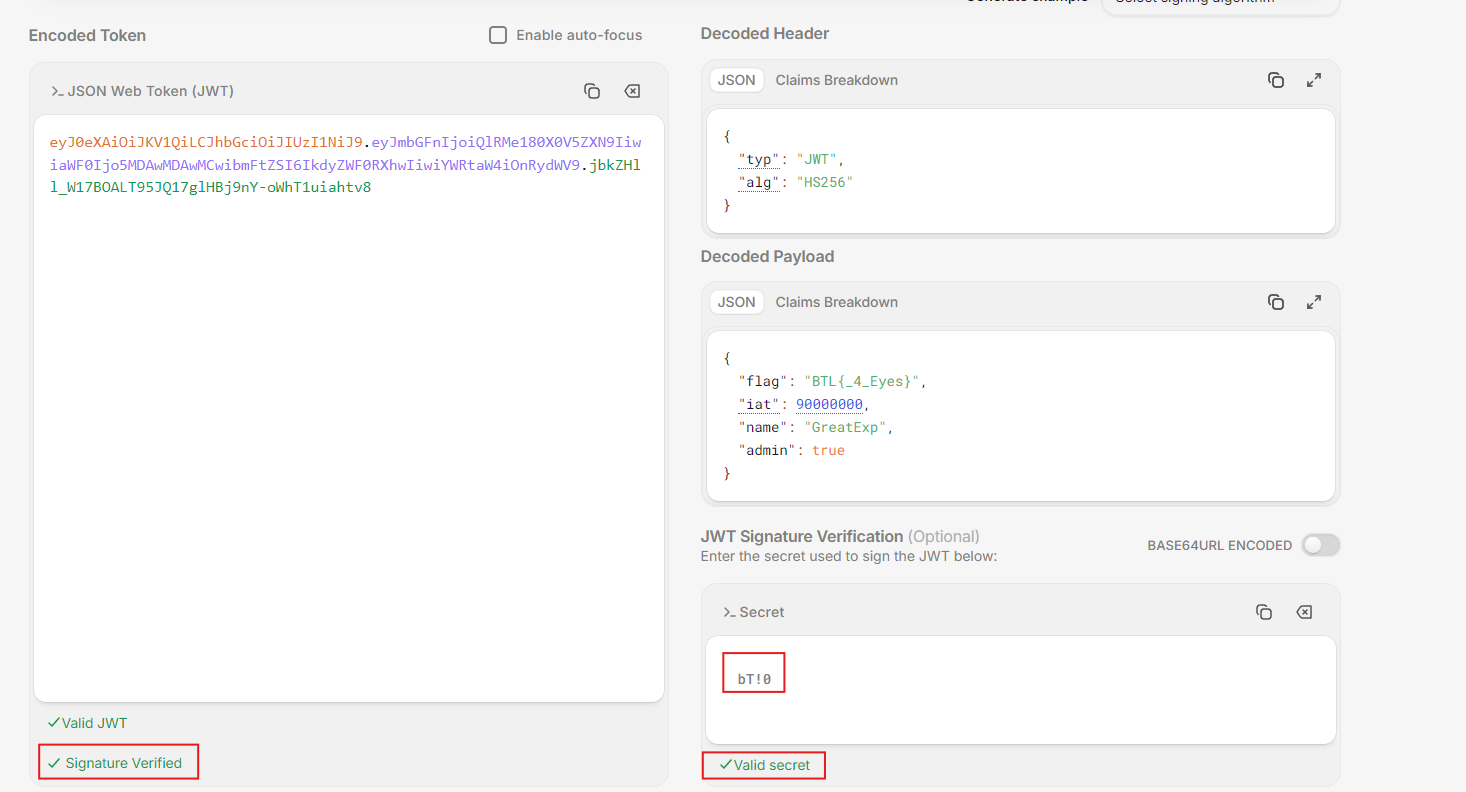
After confirming that bT!0 was the signing secret, I went back to analyze the original ticket. In the payload, the following claim shows that the ticket carries administrative privileges:
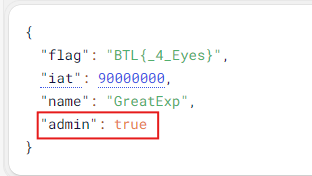
The task was to create a ticket with lower privileges. Because the Signature is calculated from both the Header and Payload, changing the admin value directly would invalidate the old signature. Therefore, I needed to change the privilege claim and then use the secret I found to create a new signature.
I kept the Header and the rest of the payload unchanged and only changed:
1
"admin": true
to:
1
"admin": false
The new payload looks like this:
1
2
3
4
5
6
{
  "flag": "BTL{_4_Eyes}",
  "iat": 90000000,
  "name": "GreatExp",
  "admin": false
}
Then I entered bT!0 into the Verify Signature section of the JWT analysis tool. Based on the HS256 algorithm declared in the Header, the tool regenerated the signature from the Header, the new Payload, and the secret:
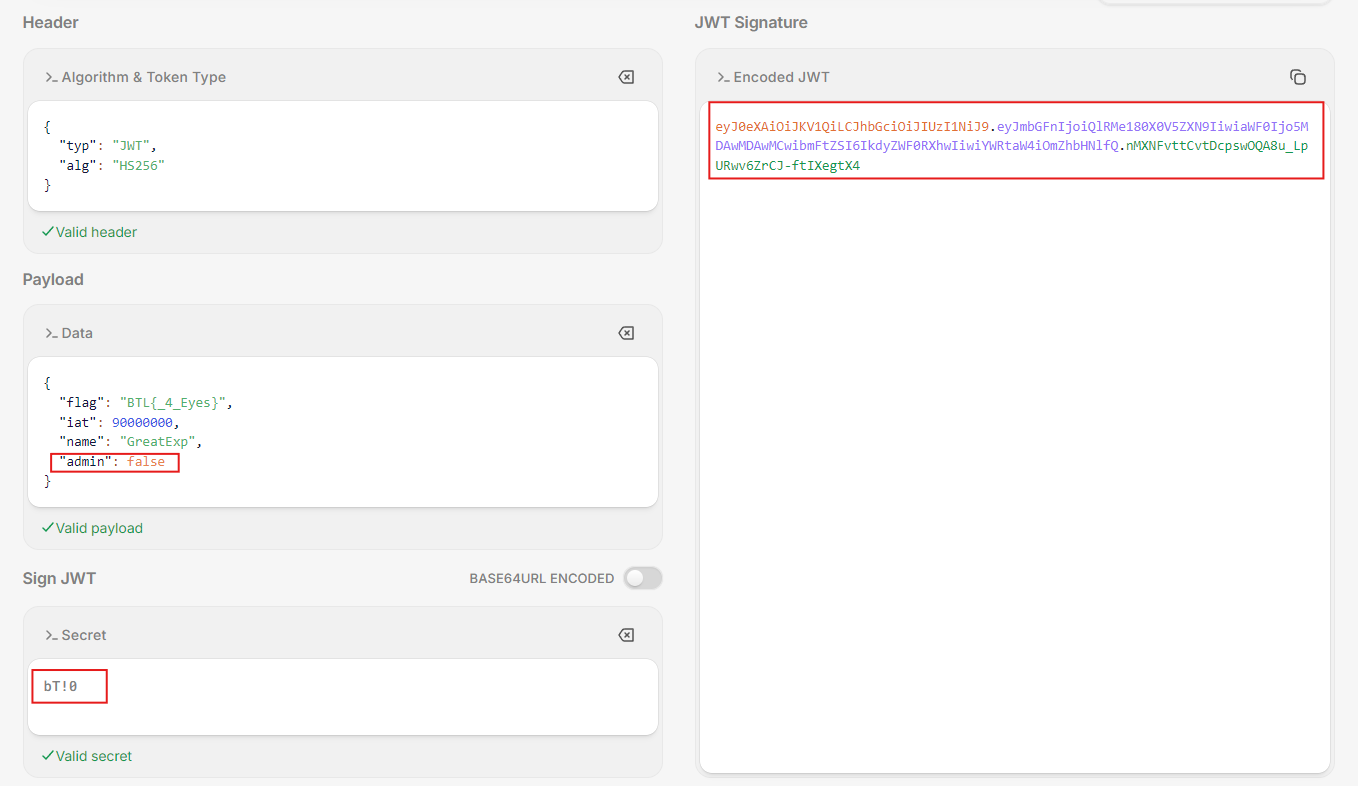
This confirmed that the new ticket had lower privileges and a fully valid signature.
eyJ0eXAiOiJKV1QiLCJhbGciOiJIUzI1NiJ9.eyJmbGFnIjoiQlRMe180X0V5ZXN9IiwiaWF0Ijo5MDAwMDAwMCwibmFtZSI6IkdyZWF0RXhwIiwiYWRtaW4iOmZhbHNlfQ.nMXNFvttCvtDcpswOQA8u_LpURwv6ZrCJ-ftIXegtX4
Summary
This lab provides a clearer understanding of how a JWT is structured and works, from identifying the token to analyzing the Header and Payload and verifying the Signature. The investigation also shows that using a very short signing secret can make the token vulnerable to brute-force attacks, allowing an attacker to change critical claims such as admin and generate a new ticket with a valid signature.
It is important to remember that JWT security does not depend only on the signing algorithm; it also depends heavily on how the secret is created and managed. In practice, secrets should be long, random, hard to guess, and stored securely to avoid token forgery or privilege escalation.