Squid Game
Background and Introduction
Will you survive the Squid Games?
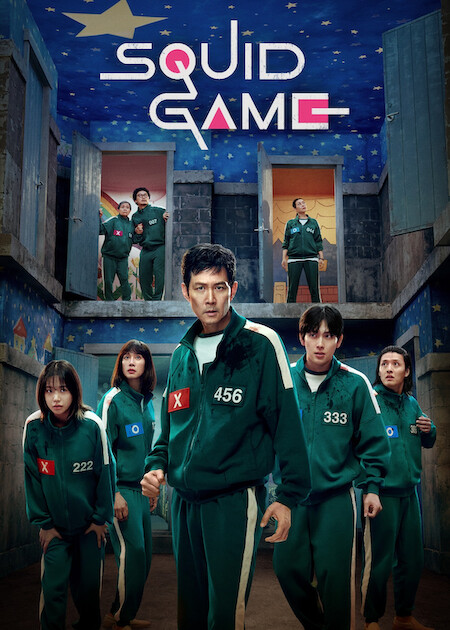
This lab is based on the famous movie Squid Game. The challenge gives us a single JPG file.

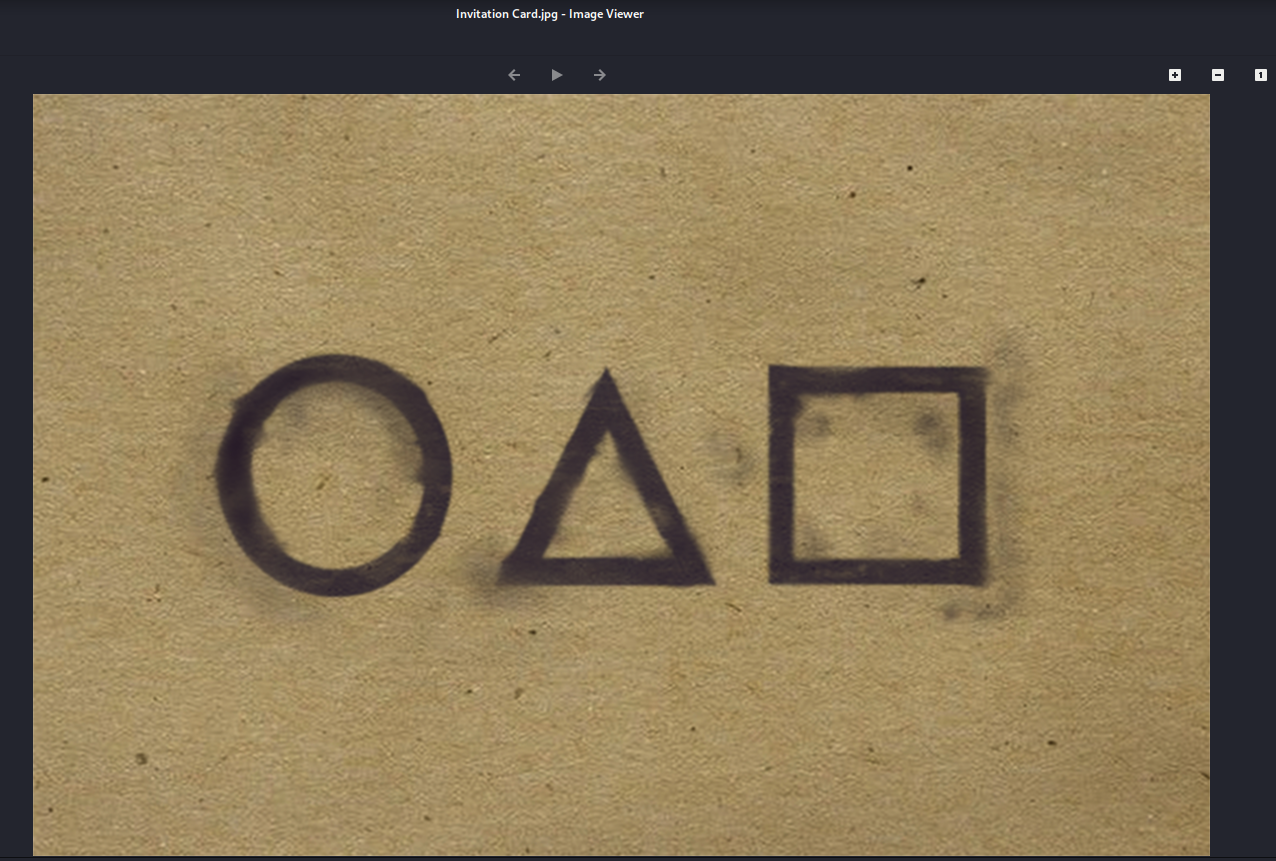
Q1: What is the phone number on the invitation card in Squid Game?
If you know the movie, the invitation card usually includes a phone number. To answer this question, you can simply use an online search.
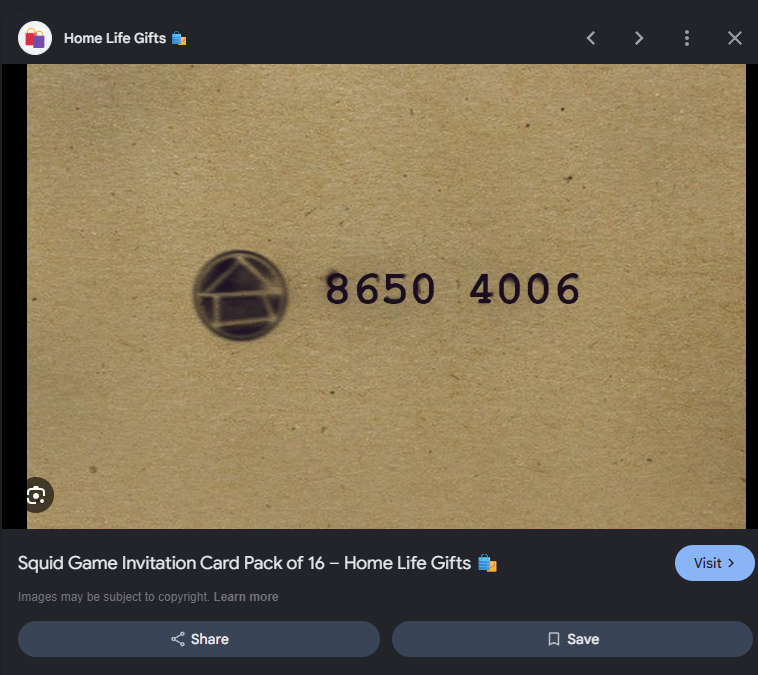
Answer: 8650 4006
Q2: Can you extract something from the invitation card file? What is the name of the file?
In this question, the challenge provides the file Invitation Card.jpg and asks us to check whether there is any other file hidden inside the image.
First, I inspected the file using a few basic tools:
1
2
3
file "Invitation Card.jpg"
binwalk "Invitation Card.jpg"
strings -a "Invitation Card.jpg" | less
However, these commands did not reveal any notable embedded files. I also tried zsteg, but that tool is most effective with PNG or BMP images, while the file we need to analyze is JPG.
So I switched to StegSeek to check whether the image contained data hidden with steghide:
1
stegseek --seed "Invitation Card.jpg"
The result was:
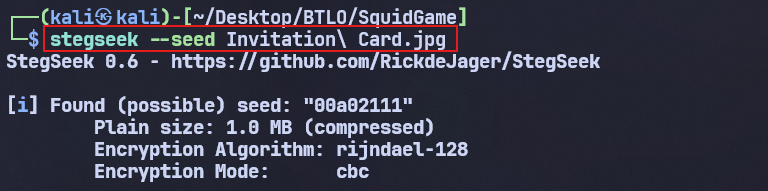
This result shows that the JPG file contains a payload of about 1 MB. The payload was compressed and encrypted using the Rijndael-128 algorithm in CBC mode.
The string 00a02111 is just the seed used during the embedding process, not the decryption password. So I still needed to find the passphrase to extract the file.
In question 1, I already found the number:
8650 4006
This number became the clue for opening the file hidden in the image. When entering the passphrase, I removed the space and used:
86504006
Then I used steghide to extract the payload:
1
steghide extract -sf "Invitation Card.jpg" -p "86504006"
The command succeeded and returned a PNG file:

The extracted PNG file name is the answer to this question.
Answer: Dalgona.png
Q3: What hint text can be discovered in the final file?
After successfully extracting Dalgona.png from Invitation Card.jpg:
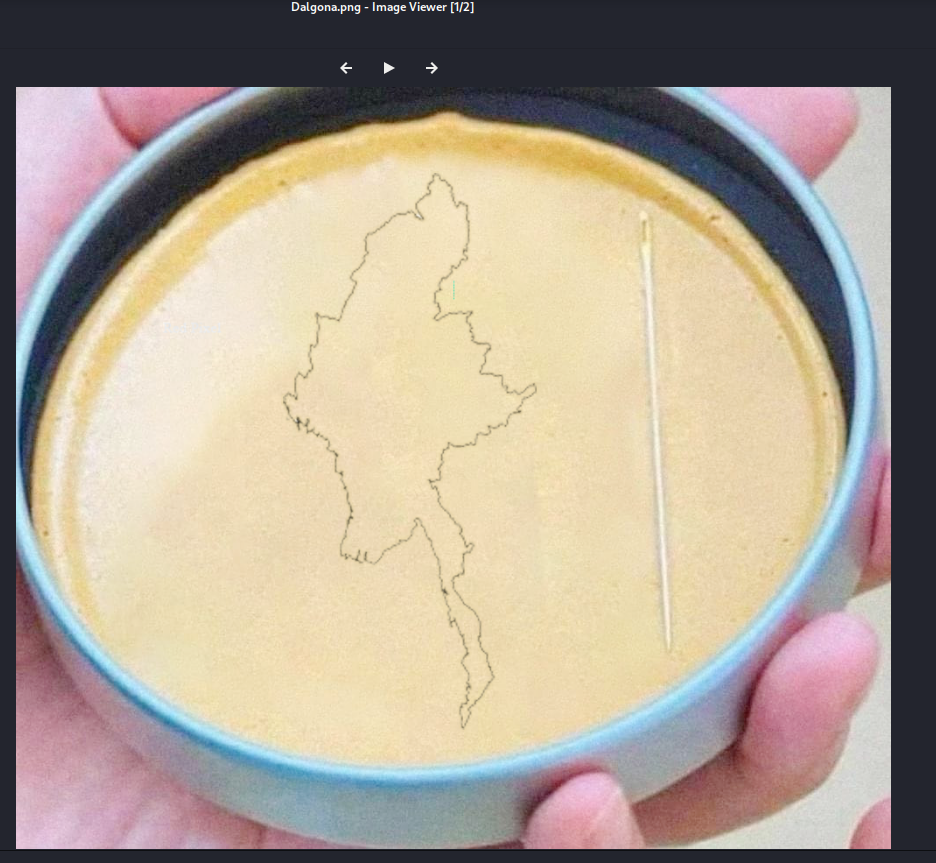
I continued to inspect whether this PNG file contained any hidden information.
When I opened the image normally, I did not see anything obvious. However, because this is a PNG file in a steganography challenge, the data may be hidden in the bit planes or in each color channel of the image.
To check this, I used StegSolve:
1
java -jar stegsolve.jar
After opening StegSolve, I chose: File → Open → Dalgona.png.
Then I used the arrow buttons at the bottom to view the image through different modes, such as:
- Red plane
- Green plane
- Blue plane
- Alpha plane
- Bit planes from 0 to 7
After switching through the color layers and bit planes, a hidden text began to appear clearly on the image. This was the hint the question asked for.
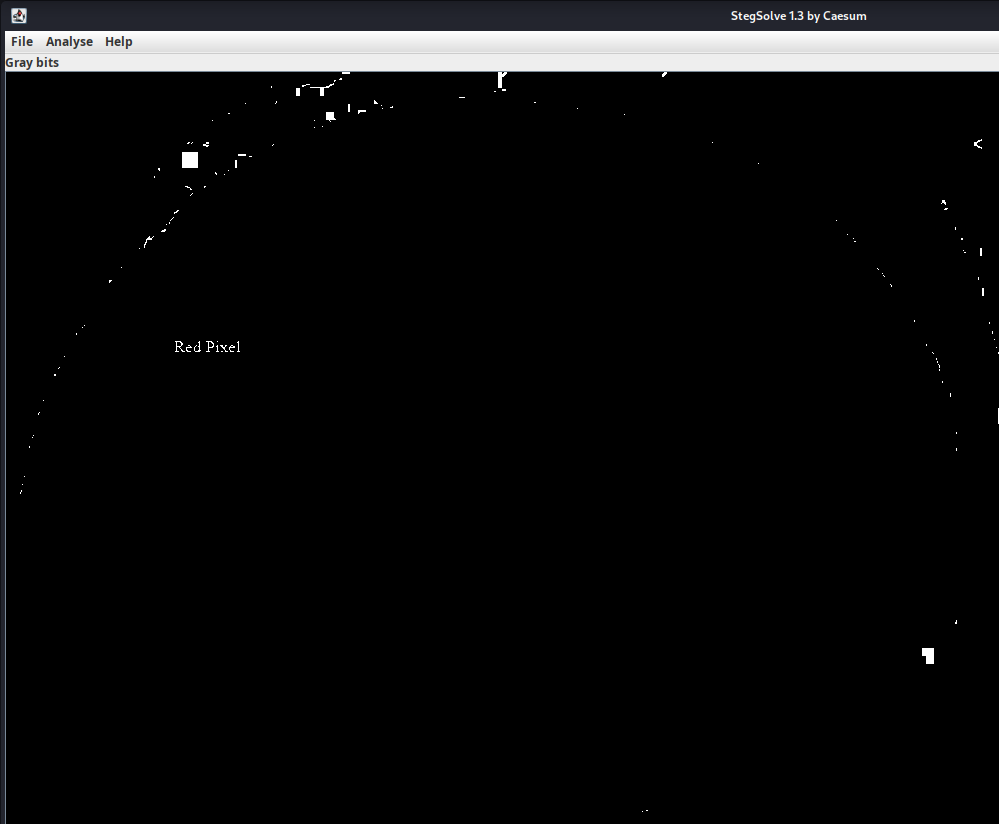
Answer: red pixel
Thus, StegSolve helped reveal the hidden text by separating the image’s color layers and bit planes.
Q4: What is the final flag?
From question 3, I found the hint:
red pixel
This suggests that the flag data may be hidden in the Red channel of the pixels in Dalgona.png.
To inspect individual pixels in detail, I used PixSpy and loaded Dalgona.png. Then I zoomed in until I could see a very small vertical line of pixels along the edge of the map.
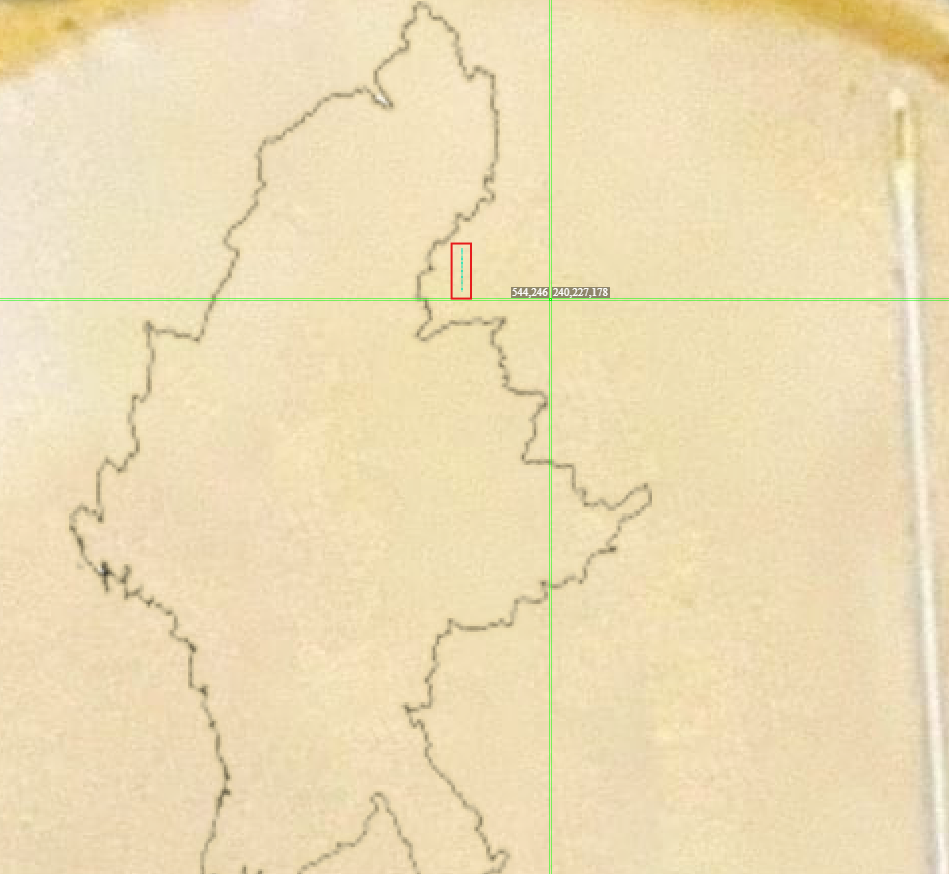
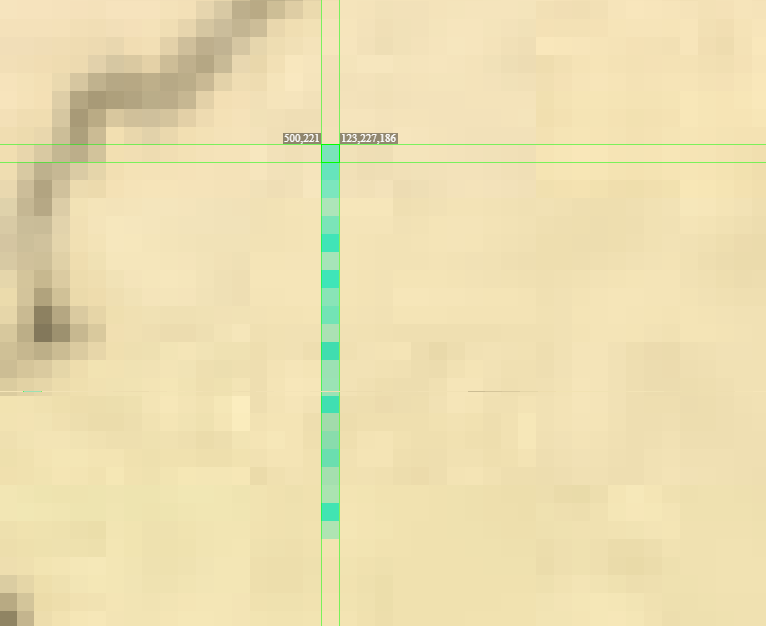
I clicked each pixel from top to bottom. PixSpy displayed the color value of each pixel in the format:
(R, G, B)
For example:
(123, 34, 45)
(102, 51, 70)
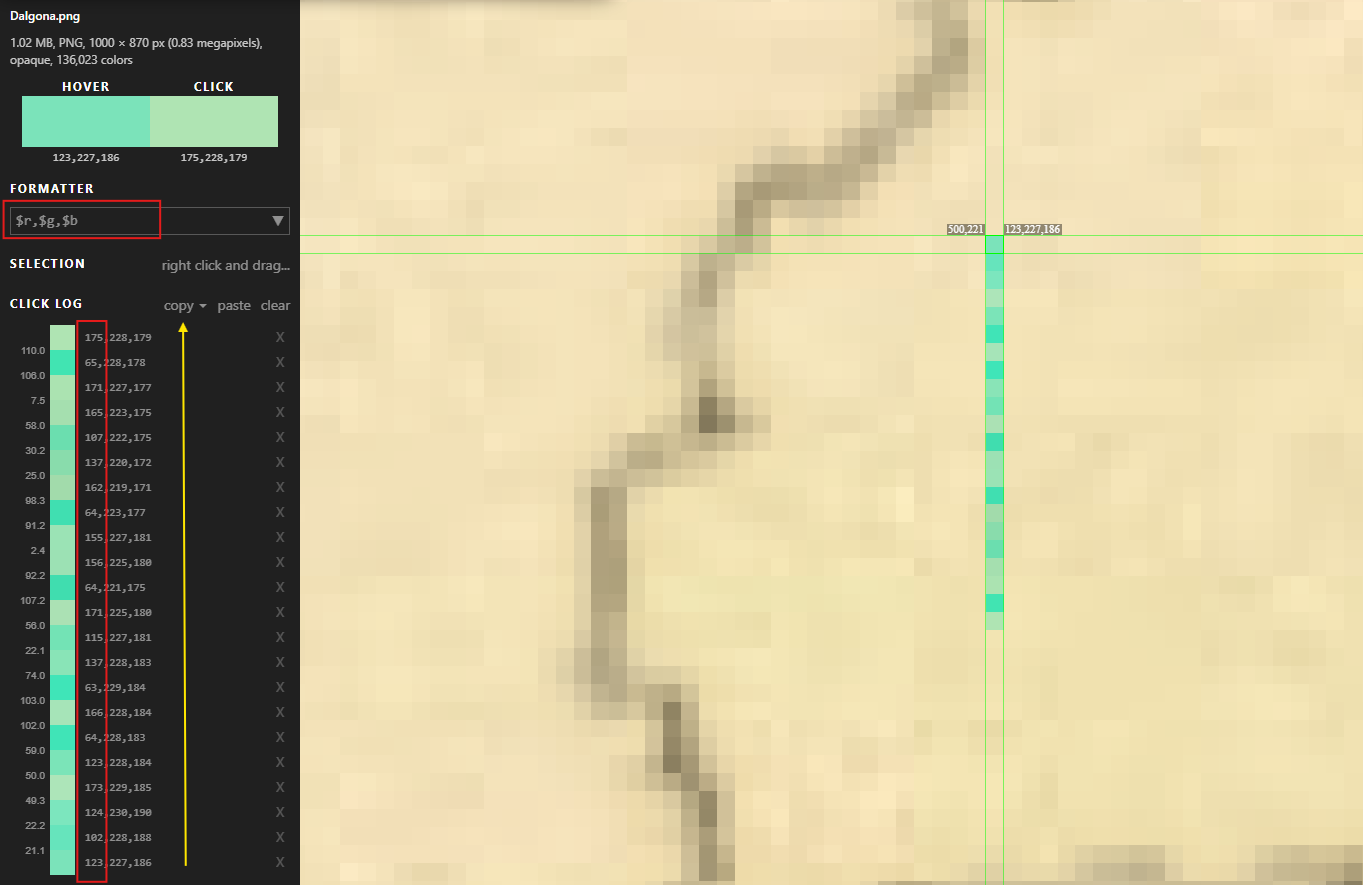
Note: each time you click a pixel, the value moves to the top. After clicking all the needed pixels, read them from bottom to top.
Because the hint was red pixel, I only took the first value from each pixel, meaning the Red channel value. After processing the entire vertical pixel line, I obtained the following sequence:
1
123 102 124 173 123 64 166 63 137 115 171 64 156 155 64 162 137 107 165 171 65 175
The important detail is that all the numbers are only digits from 0 to 7. This suggests they may be represented in octal.
I entered the sequence into the Cipher Identifier tool on dcode.fr. The tool identified it as Octal ASCII data.
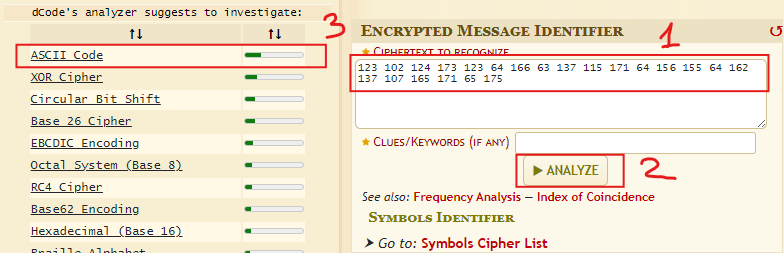
When converting each number from octal to ASCII, we get:
- 123 (Octal) = S
- 102 (Octal) = B
- 124 (Octal) = T
- 173 (Octal) = {
Or we could simply use the ASCII Code Converter tool on dcode.fr.
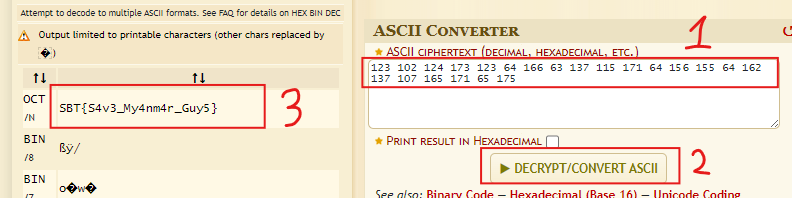
After decoding the entire sequence, I obtained the final flag.
Answer: SBT{S4v3_My4nm4r_Guy5}
Summary
After completing the Squid Game lab, I learned a few important lessons in steganography analysis:
- How to check whether an image file contains hidden data using tools such as binwalk, zsteg, StegSeek, Steghide, and StegSolve.
- How each image format is suited to different tools; for example, StegSeek and Steghide are more appropriate for JPG, while zsteg is often more effective for PNG.
- How to detect and extract files hidden inside an image using a passphrase.
- How to use the results of earlier questions as clues for later ones rather than analyzing each file in isolation.
- How to use StegSolve to inspect color channels and bit planes to reveal hidden content in an image.
- How to read RGB pixel values with PixSpy and select the correct color channel based on the hint.
- How to recognize a sequence of numbers that may belong to octal and convert it to Octal ASCII to recover the final content.
- Most importantly, the lab helped me practice careful observation, trying multiple approaches, and combining several tools to solve a multi-layered steganography challenge.
Through this lab, I realized that hidden data is not always detected by a single command. Choosing the right tool, paying attention to small details, and connecting the clues are essential to reaching the final flag.